
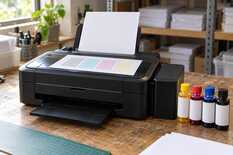
If the printer has not printed for a week, switch it on and print a nozzle check and one colour page — it takes a few minutes. Before a holiday, top up the tanks, switch the printer off with the button and pull the plug only when the light has gone out: that way the head stays capped. After the break, start with a nozzle check, and if lines are broken, run no more than three cleanings in a row, then pause for 12 hours. That is what Epson's manuals for the L132 and L11050 say.
Nozzle check when idle
7 days
plus one colour page
Cleanings in a row
up to 3
with a check after each
Pause if that fails
12 h
printer off via the button
Room for printing
10–35 °C
humidity 20–80 %
Cleaning limits and operating conditions come from Epson's manuals for the L132 and L11050. The 7-day interval is a working schedule: Epson simply recommends printing regularly.
Why the head dries out while the printer stands idle
MyPrint has four-colour sublimation printers with ink tanks: the Epson L132 (A4) and the L11050 (A3).
Epson's manual for the L11050 compares the head to a fountain pen: to keep the ink from drying, it has to be capped. The printer does this itself when it is switched off with the power button. If the plug is pulled or the power goes out while it is working, the head may stay uncapped — and the nozzles will dry out.
According to Epson's manual, after a long idle period the L132 may print with banding or skip a colour. The ink in the tubes may then need replacing. That procedure uses a lot of ink and wears the waste ink pads. This is why Epson recommends printing a few pages regularly and cleaning the head only when quality drops.
Care table: a week, a break, the return
| When | What to do |
|---|---|
| A week without printing | Switch the printer on with the button and print a nozzle check. All lines complete: print one page with all four colours, then switch off with the button. Epson recommends printing a few pages regularly. A complete check means no cleaning. |
| The day before a 1–3-week break | Print a nozzle check. If lines are broken, clean the head using the flowchart below. Top up any tank near the lower line and close the caps tightly. If a 12-hour pause is needed, it passes overnight. When ink is low, the printer may not be able to clean the head. |
| Before you leave | Switch the printer off with the button, wait until the power light goes out, and only then pull the plug or switch off the power strip. Cover it against dust. After you switch it off with the button, the printer caps the head. For a long break Epson says to unplug the printer. |
| During the break | Leave the printer on a level surface in a cool room, out of direct sunlight and away from heat sources. Do not tilt the printer: ink may leak. |
| The return | If the room is above 35 °C, cool it first. Switch the printer on with the button, print a nozzle check and follow the flowchart below. Printing is allowed at 10–35 °C. Cleaning “just in case” only wastes ink. |
| Power cut during printing | As soon as the power is back, switch the printer on and off again with the button. This caps the head, as the L11050 manual advises. |
| Ink bottles | Closed, upright, in the same room as the printer, out of the sun. Coming from a cold place: 3 hours at room temperature before refilling. Do not tilt or shake an opened bottle — the ink may leak. |
For the Epson L132 and L11050 with My Print SubliPro or DTI InkTec ink.
Every week: a nozzle check without a computer
A nozzle check is a sheet of fine stepped lines in each colour: a break in a line means a nozzle is not firing. On both models you print it with the buttons:
Load plain A4 paper
Office paper, as the manual says. Keep sublimation paper for orders.
Switch the printer off with the power button
Wait until the power light goes out.
Hold the stop button and switch the printer on
The stop button is the one that cancels printing. While holding it, press the power button and release both when the power light starts flashing. Printing may take a moment to start. On the L11050, do not mix up the buttons: other combinations with the power button start network functions, including a network settings reset.
Check the lines of each colour
All lines complete: no cleaning needed. Breaks: hold the stop button for 3 seconds on the L132 or 5 seconds on the L11050 until the power light starts flashing, and cleaning begins. While it runs, do not switch the printer off or open the cover. When the light stops flashing, print the check again. Yellow lines are the palest on white paper, so look at them in daylight. Lines still broken: follow the flowchart below, and print the colour page only after a complete check.
Print one colour page
Any photo or layout with all four colours, on plain paper. Then switch the printer off with the button.
The nozzle check and cleaning can also be run from a computer, among the maintenance functions of the printer driver.
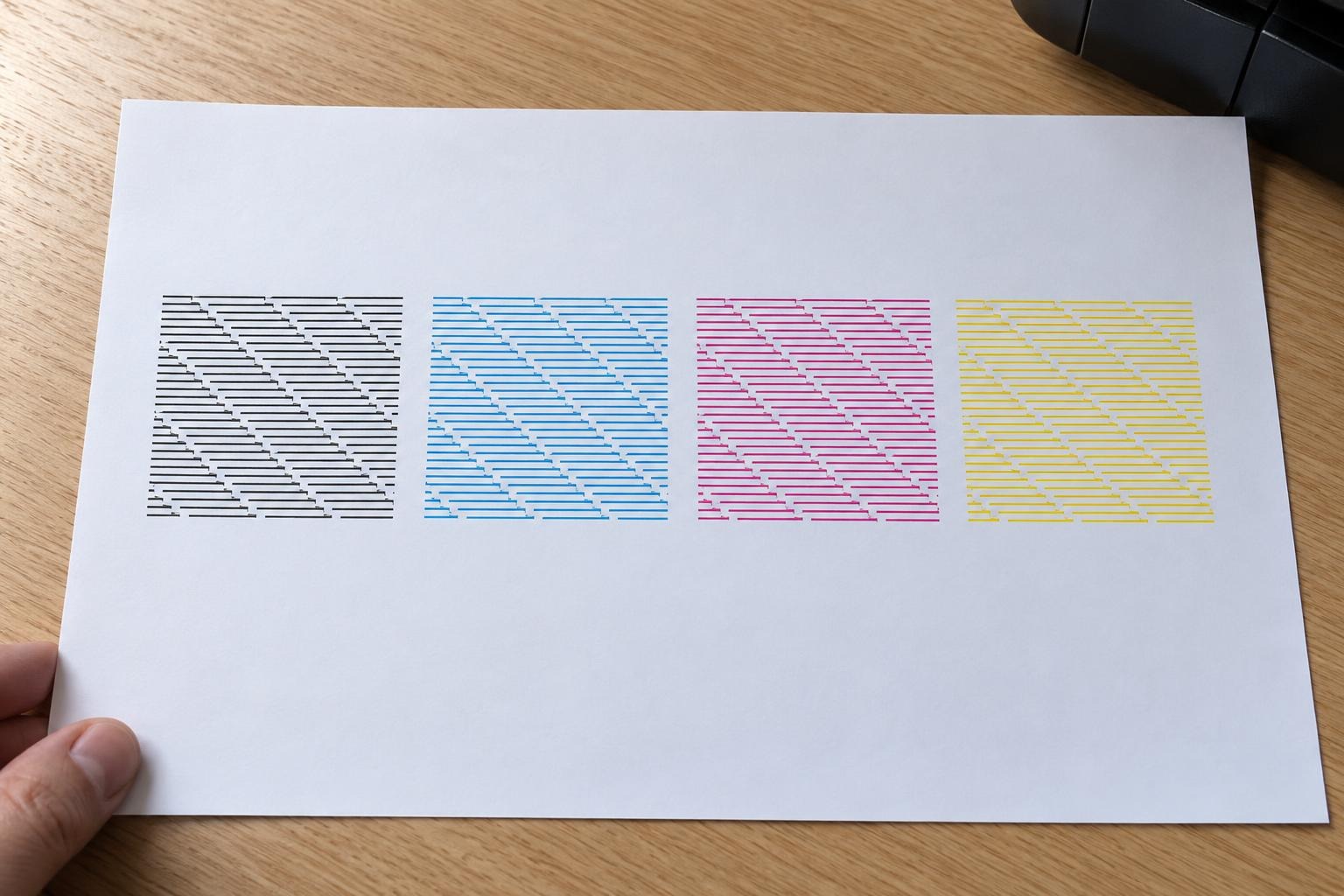
Good: every colour has all its lines, so no cleaning is needed.
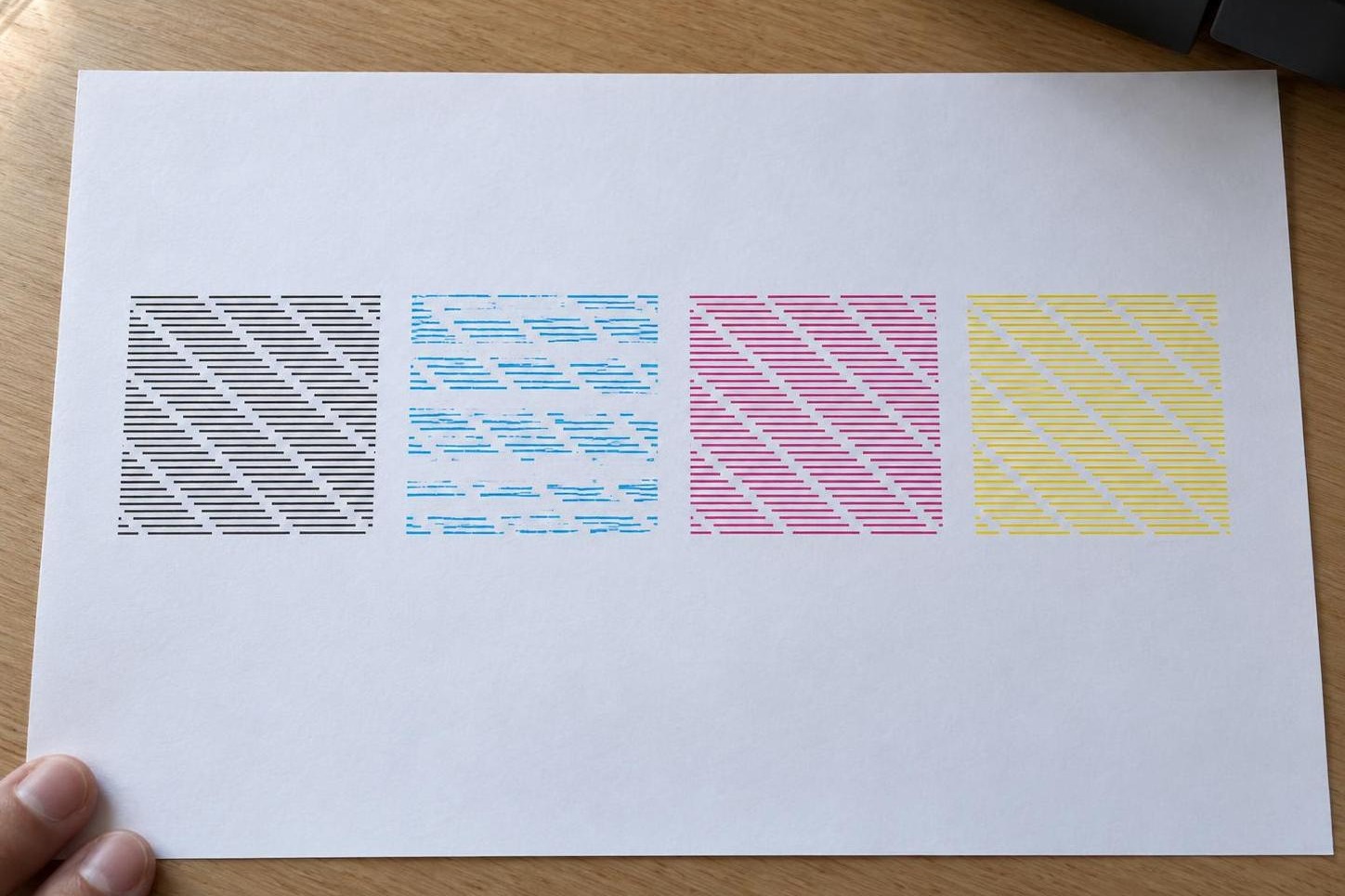
Not good: one colour is missing lines: run one cleaning and a new check.
Before a break: top up the tanks
The ink level must be above the lower line. When ink is low, the printer may not be able to clean the head, and Power Cleaning on the L11050 needs every tank at least a third full. Top up with the same sublimation ink the printer is filled with.
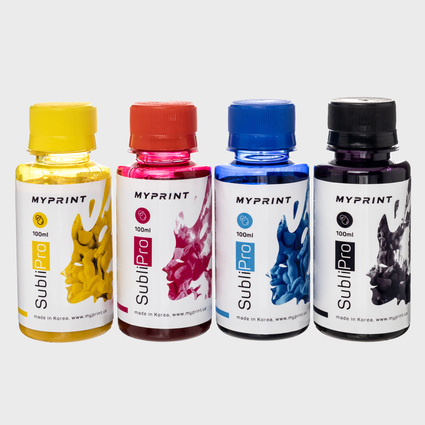
My Print SubliPro sublimation ink set (4 × 100 ml)
Four 100 ml bottles · the same ink MyPrint ships in the SubliPro versions of the L132 and L11050 · for topping up before a break
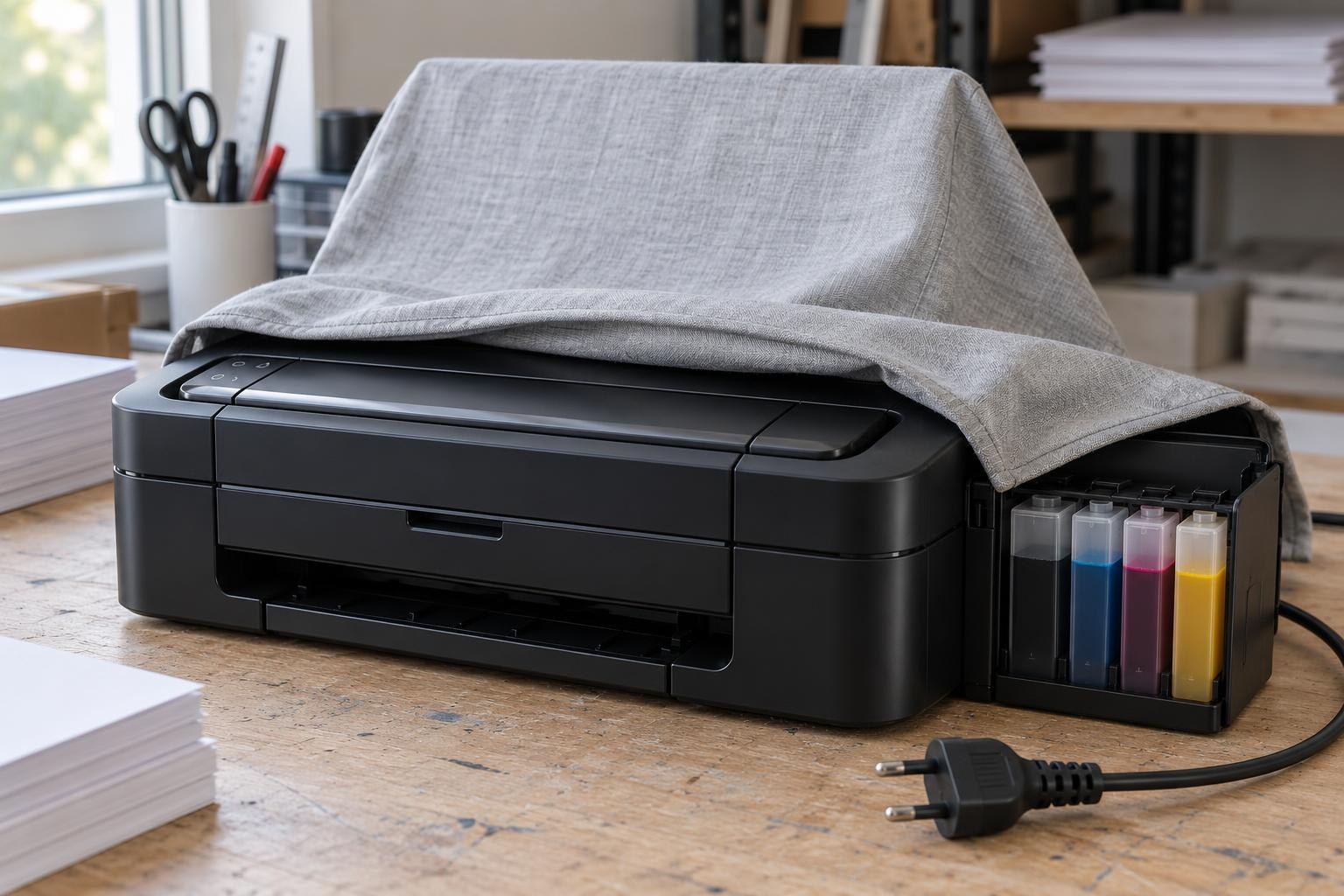
Before a break: the printer is switched off with the button, the tanks are topped up and the body is covered against dust.
Power cut while the printer was printing? The head may have stayed uncapped. As soon as the power returns, switch the printer on with the button and off again: Epson's manual says to do this as soon as possible so the nozzles do not dry out.
Ink during the break
Store the bottles as Epson's manual advises: in the same room as the printer, out of the sun, and do not tilt or shake an opened bottle, because the ink may leak. How to keep a stock of inks, paper and films so that old batches do not linger is covered in “How to Store Inks, Films and Paper: a Warehouse Routine for a Small Print Shop”.
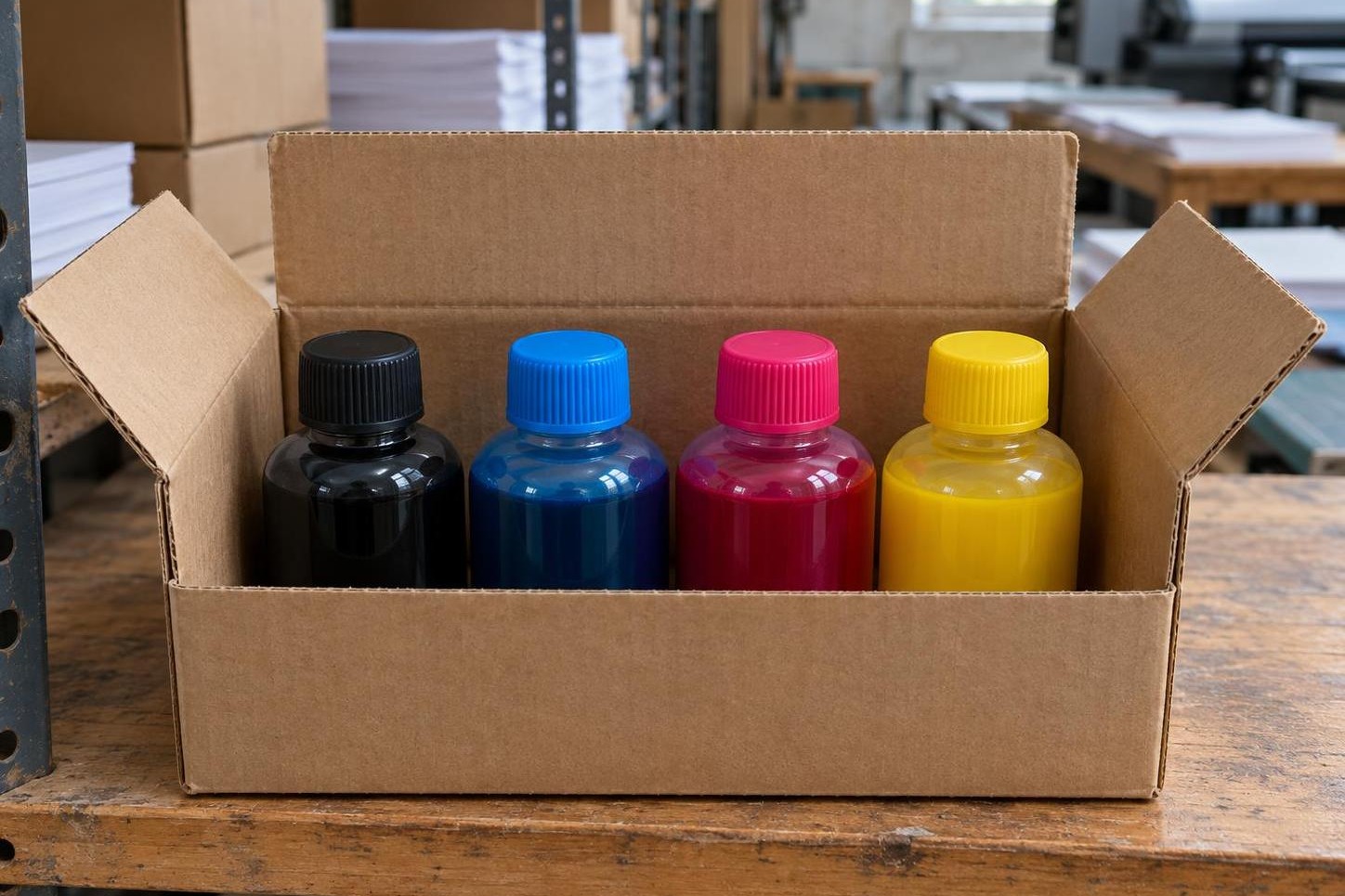
The bottles stand upright in the box with the caps screwed on tight.
After the break: a decision tree by nozzle check
Switch the printer on with the button and print a nozzle check first, even if everything seems fine. Take each next step only if the previous one did not help.
1. Nozzle check
Plain A4 paper, as in the weekly check.
All lines complete
Get to work: one colour page, then orders.
Broken lines
Step 2: a normal cleaning.
L11050: most lines missing
Go straight to step 4: Power Cleaning.
↓ broken lines
2. Cleaning and check, up to 3 times in a row
Stop button: 3 seconds on the L132, 5 seconds on the L11050. When the light stops flashing, print a new check. Complete check: get to work.
↓ lines still broken after three rounds
3. Pause for at least 12 hours
Switch the printer off with the button and do not print. After the pause, run a check; if lines are broken, one more normal cleaning and a check.
↓ lines still broken
4. Power Cleaning from the driver on a computer
It replaces the ink in the tubes and uses a lot of it. Afterwards switch the printer off with the button, do not print for 12 hours, then run a check. It can be repeated only after 12 hours.
L11050
Before starting, make sure every tank is at least a third full: with less ink the procedure may damage the printer.
L132
Here the function is called Power Ink Flushing. Before starting, check the ink level in every tank and top up any that are low. It fills the waste ink pads faster, and only a service centre can replace them.
↓ lines still broken
5. One more try, then service
Depending on the check, run one more normal cleaning or one more Power Cleaning. If nothing improves, stop and contact an authorised Epson service centre or a MyPrint manager. Take the last nozzle check and note how many cleanings you ran.
The sequence for the Epson L132 and L11050 according to their manuals.
Why not clean a few more times “to be sure”? Each cleaning pushes ink through the head into the waste ink reservoir. And Power Cleaning, according to Epson, normally takes effect within 12 hours, so repeating it earlier only wastes ink.
If the check is complete but the print still shows stripes, the cause is no longer the nozzles. What to check next is covered in “Stripes on a Sublimation Print: What to Check Before the Transfer”.
L132 and L11050: where the waste ink goes
The cleaning limits are the same for both models, but the waste ink is collected differently. On the L11050 it drains into a maintenance box that the owner replaces; when the box runs out of space, the printer signals with its lights and will not start a cleaning. On the L132 it is absorbed by pads inside the body that only a service centre replaces, so every unnecessary Power Ink Flushing brings a service visit closer.
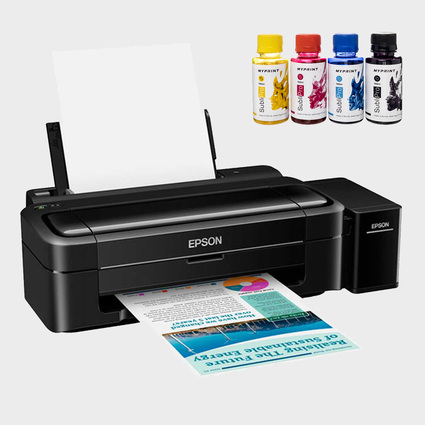
Epson L132 sublimation printer with My Print SubliPro ink
A4 · 4 colours · cleaning: stop button for 3 seconds · waste ink goes to pads that a service centre replaces
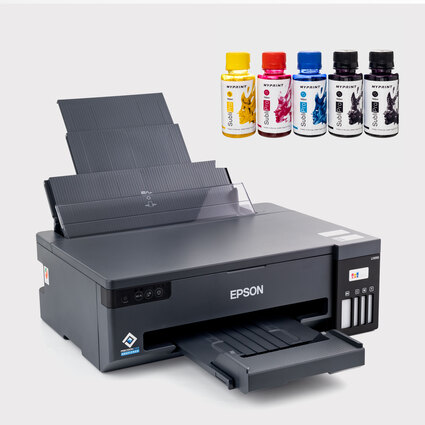
Epson L11050 sublimation printer with My Print SubliPro ink
A3 · 4 colours · cleaning: stop button for 5 seconds · the owner replaces the maintenance box
Frequently asked questions
Can I just unplug the printer?
Only after the button. Press the power button and wait until the light goes out: during that time the printer caps the head. After that, for a long break, it is worth pulling the plug, as Epson's manual advises.
How many times in a row can I clean the head?
Three rounds of “cleaning, then nozzle check”. If that fails, switch the printer off with the button for at least 12 hours and only then continue. The “four cleanings and 6 hours” rule found online does not apply to the L132 and L11050.
Should I leave the printer on so it cleans itself?
No. For a long break Epson's manual says to switch the printer off with the button and unplug it. Under the cap the head is protected, and a nozzle check will show the state of the nozzles when you return.
The printer has been idle for two months. Where do I start?
With a nozzle check and the same flowchart. For exactly this case the L132 manual offers replacing the ink in the tubes. Run it when normal cleanings and the pause have not helped: it wears the pads that only a service centre replaces.
Can I flush the head myself?
Start with what the maker provides: cleaning, a 12-hour pause, Power Cleaning. If the check still shows breaks after that, leave head flushing to a service centre.