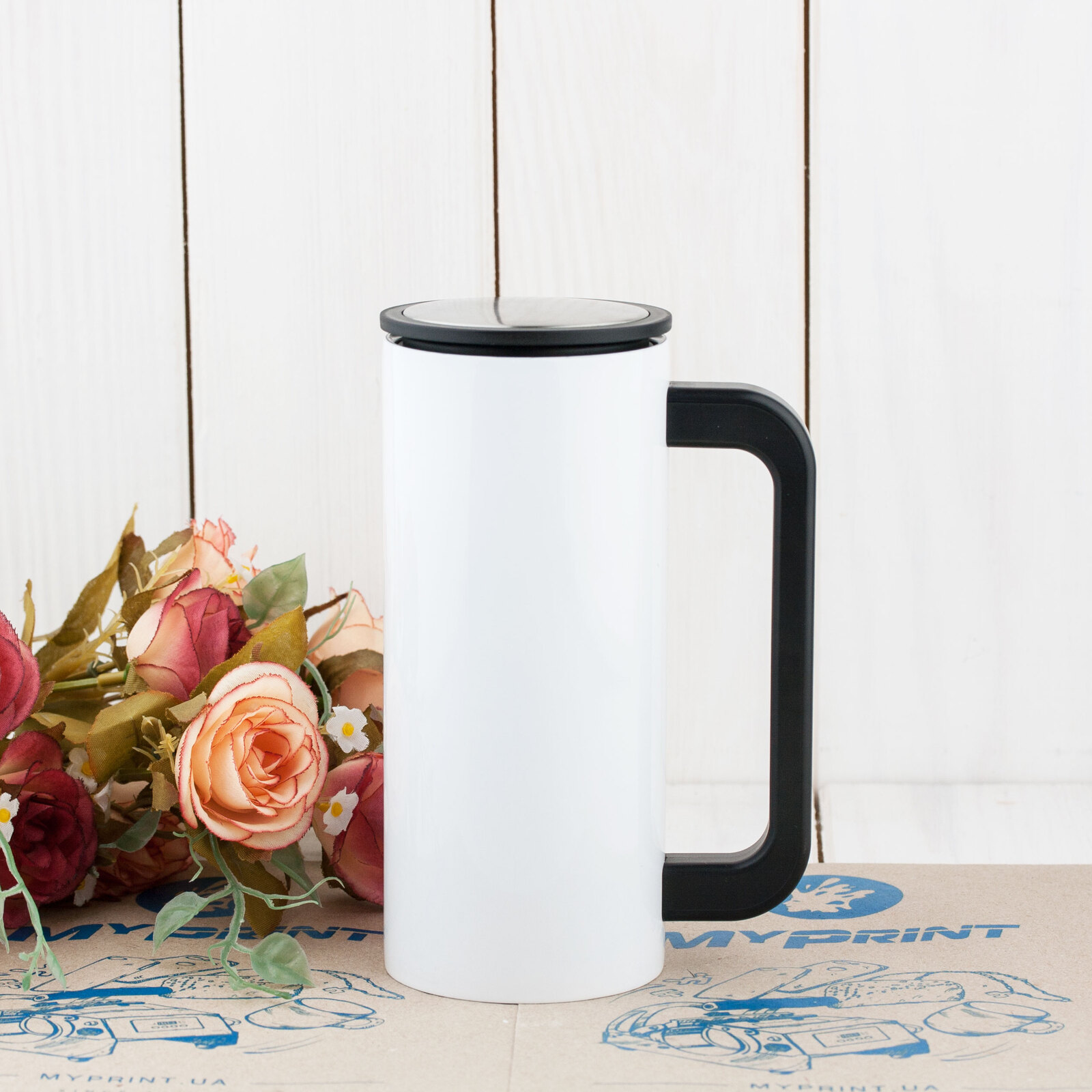
Thermocup for sublimation metal (steel 304) "Starbucks" white with a handle (350 ml) (7267) - фото 1 - Blanks for sublimation
Thermocup for sublimation metal (steel 304) "Starbucks" white with a handle (350 ml) (7267) - фото 2 - Blanks for sublimation
Thermocup for sublimation metal (steel 304) "Starbucks" white with a handle (350 ml) (7267) - фото 3 - Blanks for sublimation
  • Thermocup for sublimation metal (steel 304) "Starbucks" white with a handle (350 ml) (7267) - фото 1 - Blanks for sublimation
  • Thermocup for sublimation metal (steel 304) "Starbucks" white with a handle (350 ml) (7267) - фото 2 - Blanks for sublimation
  • Thermocup for sublimation metal (steel 304) "Starbucks" white with a handle (350 ml) (7267) - фото 3 - Blanks for sublimation
  • Thermocup for sublimation metal (steel 304) "Starbucks" white with a handle (350 ml) (7267) - фото 1 - Blanks for sublimation
  • Thermocup for sublimation metal (steel 304) "Starbucks" white with a handle (350 ml) (7267) - фото 2 - Blanks for sublimation
  • Thermocup for sublimation metal (steel 304) "Starbucks" white with a handle (350 ml) (7267) - фото 3 - Blanks for sublimation

Thermocup for sublimation metal (steel 304) "Starbucks" white with a handle (350 ml) (7267)

(0)
Volume:
Not available
Price:
309.00 грн
  • Report availability
  • Ask a question for this product

Payment Cash, Visa/MasterCard, Payment in installments, Instant installments, Cashless settlement.
Delivery By new mail to the branch, post machine or courier at carrier rates.

  • Return guarantee

    We guarantee a refund if you are not satisfied with the product

  • Доставка

    Delivery across Ukraine to any settlement

Description Thermocup for sublimation metal (steel 304) "Starbucks" white with a handle (350 ml) (7267)

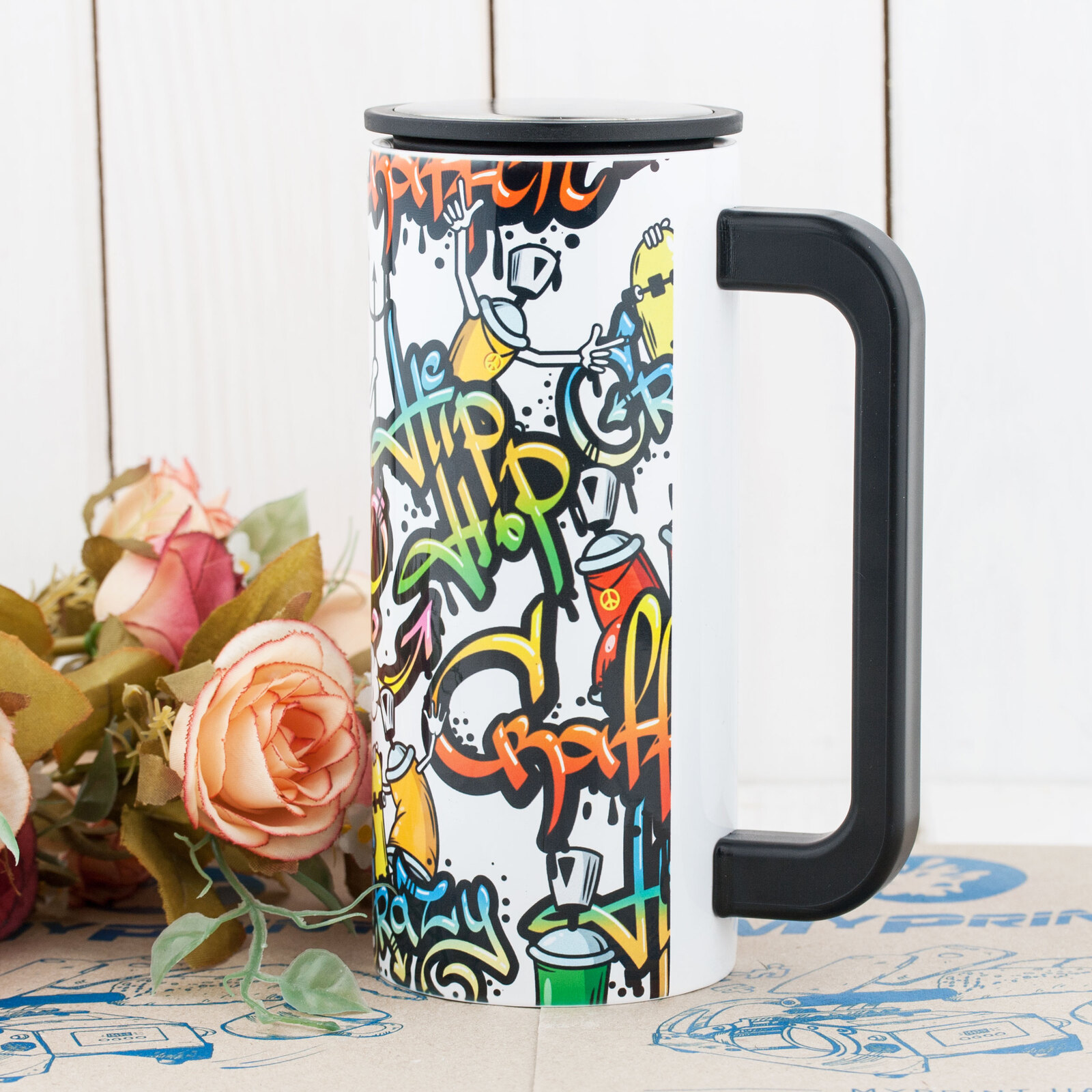
A white steel mug with a handle for photos and full-colour print


Create a branded or gift mug with a photo, a name or a logo — for coffee on the go or on a desk. The handle is fixed to the body, so the mug is printed in a mug press: keep the design within the heater height and leave the zone next to the handle free.

350 mlcapacity
Whitecoating for full-colour print
180 °Cstarting settings, 80 s
Small heatera mug heater for Ø 6.5–7.5 cm

Is this mug right for you

 
Your mug heater fits the Ø 6.6 cm body, makes close contact, covers the full design height and leaves room for the handle
You print with sublimation ink on sublimation paper
You print photos, full-colour layouts or logos on a white background
You need a larger mug with a handle — consider the white 450 ml car travel mug
You only have a standard 11 oz heater — it is made for a 7.5–9 cm diameter; consider a small 11 × 20.5 cm mug heater after checking close contact, full design-height coverage and handle clearance

Size and print settings

 
Ø 6.6 cmbody diameter
≈ 20.7 cmapproximate body circumference
Stainless steelbody and inner wall
Temperature
180 °Cstarting point for a tumbler in a press
Time
80 sfrom closing the preheated press
Pressure
mediumthe press handle closes easily and the mug does not turn

These are starting settings for a heater that makes close contact with the body. Tune the exact values to your press, paper, ink and room conditions — temperature and humidity — on a test mug.

Why this mug


Handle and lid

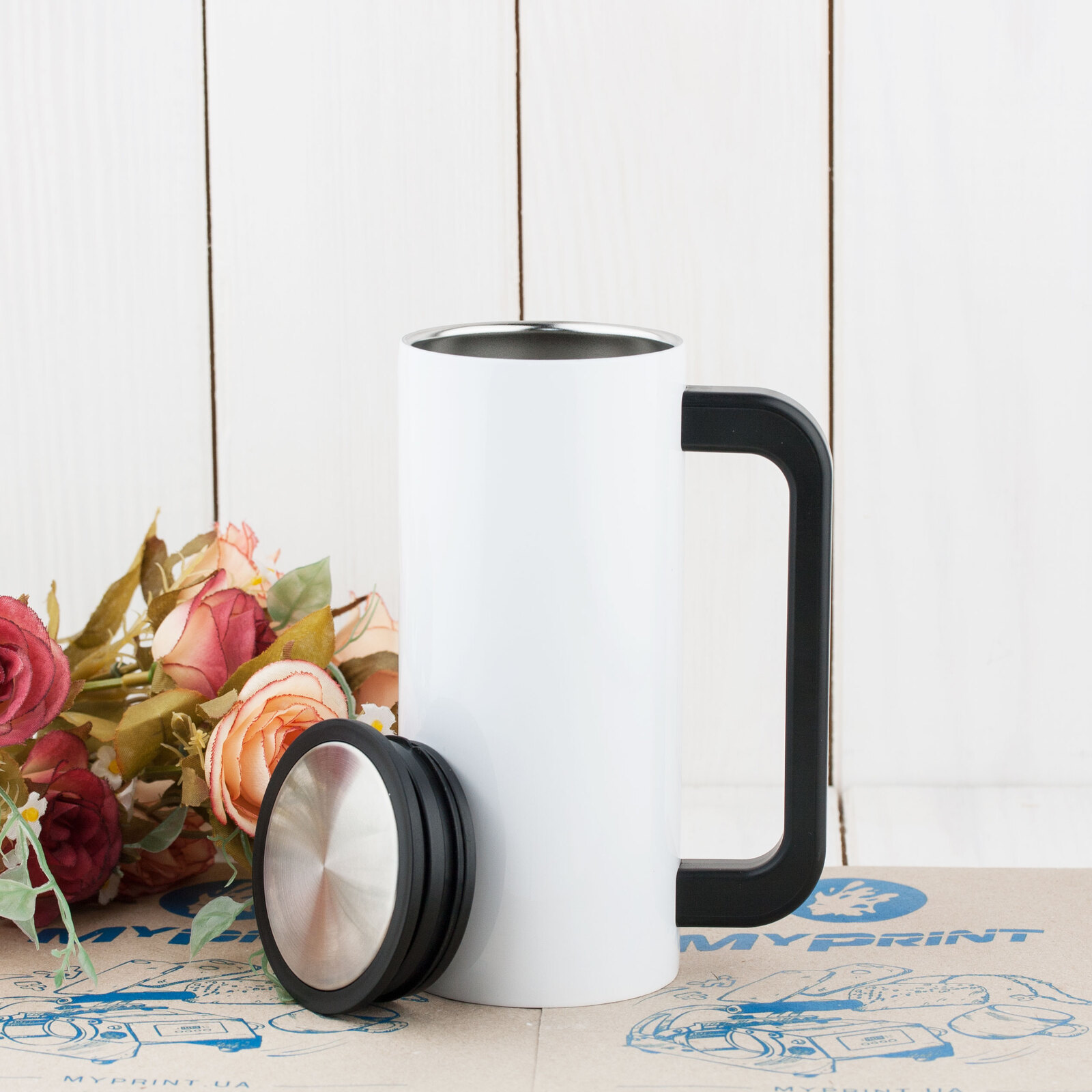
A hot drink is easy to hold, and the steel lid with sealing rings covers the mug

A photo or name all round

The design wraps the body between the handle edges; check the colours on a test mug

From file to finished mug


Prepare the layout
Measure the body circumference between the handle edges and the heater height — keep the design within them.
 
Print mirrored
With sublimation ink on sublimation paper.
 
Remove the lid
Only the body goes into the heater; the handle stays outside.
 
Fix the paper
Tightly round the body, with its edges at the handle, and secure it with heat-resistant tape.
 
Key step
Press
Starting settings — 180 °C, 80 seconds, medium pressure in the small heater.
 
Remove the paper
Right after the signal, wearing heat-resistant gloves.
 
Put the lid back
Once the body has cooled completely, put the lid back in place.
Tip: Make the first mug from each new box a test piece. If the design blurs or the white turns brown, give the next one 15 s less; if it is pale everywhere, check the press warm-up and paper contact, then add 10–15 s. Change one setting at a time.

Steel mug with a handle: which to choose

 
VariantHandleCapacity and diameterUse
White with a handle, 350 mlYou are hereSide handle350 ml, Ø 6.6 cmPhotos and full-colour layouts
White car travel mug, 450 mlHandle and a lid with a drinking opening450 ml, Ø 8.5 cmPhotos and designs for the road
White Starbucks-style tumbler, 330 mlNo handle330 ml, Ø 7 cmPhotos and full-colour layouts
Silver Starbucks-style tumbler, 330 mlNo handle330 ml, Ø 7 cmA logo on metal

Where it works best

 
A gift for a colleague
A photo or a name on a coffee mug for the desk
Corporate merch
A logo and brand design on a white background
Coffee shops
A branded mug with a handle for regular guests

What can go wrong

 
A pale band on one side or a pale edge

Cause: the paper or heater does not make contact, or heating is uneven

Fix: check paper and heater contact and the press warm-up; a gap cannot be fixed with more time
A pale top or bottom of the design

Cause: the design is taller than the heater

Fix: keep the design within the heater height
The design blurred or the white turned brown

Cause: overheating

Fix: give the next mug 15 s less
Pale all over

Cause: underheating or weak paper contact

Fix: check the press warm-up and paper contact, then add 10–15 s on the next one

Questions and answers


What are the print settings for this mug?

MyPrint's starting settings for tumblers are 180 °C, 80 seconds, medium pressure, in a heater that makes close contact with the body. If the design blurs, give the next one 15 s less; if it is pale everywhere, check the warm-up and paper contact, then add 10–15 s. The exact values depend on the press, paper, ink and room conditions, so make the first mug from a new box a test piece.

Which heater does it need?

The 6.6 cm diameter makes the small 11 × 20.5 cm heating element, with its 6.5–7.5 cm range, a candidate. The heater is 11 cm high, so keep the design within that height. Ask the manager whether it fits your press before buying; before the first print, check close contact, full design-height coverage and handle clearance. A standard 11 oz heater rated for 7.5–9 cm does not make close contact with this mug.

What do I do with the lid when printing?

Remove it: only the body goes into the heater. The handle stays on — it remains outside the heater.

How does it differ from a Starbucks-style tumbler without a handle?

By the side handle: it stays on, so the mug is printed in a mug heater with room for the handle, and the design leaves the zone next to it free. A tumbler without a handle, such as the white 330 ml one, is printed all round in a tumbler heater.

How should a printed mug be washed?

By hand, with a soft sponge, without abrasives. Never in a microwave: it is metal.

What you need for printing


Equipment and materials for your chosen sublimation printing method.

Характеристики Thermocup for sublimation metal (steel 304) "Starbucks" white with a handle (350 ml) (7267)

Customer reviews  (0)Leave a review
Customer reviews  (0)

You have already rated this product