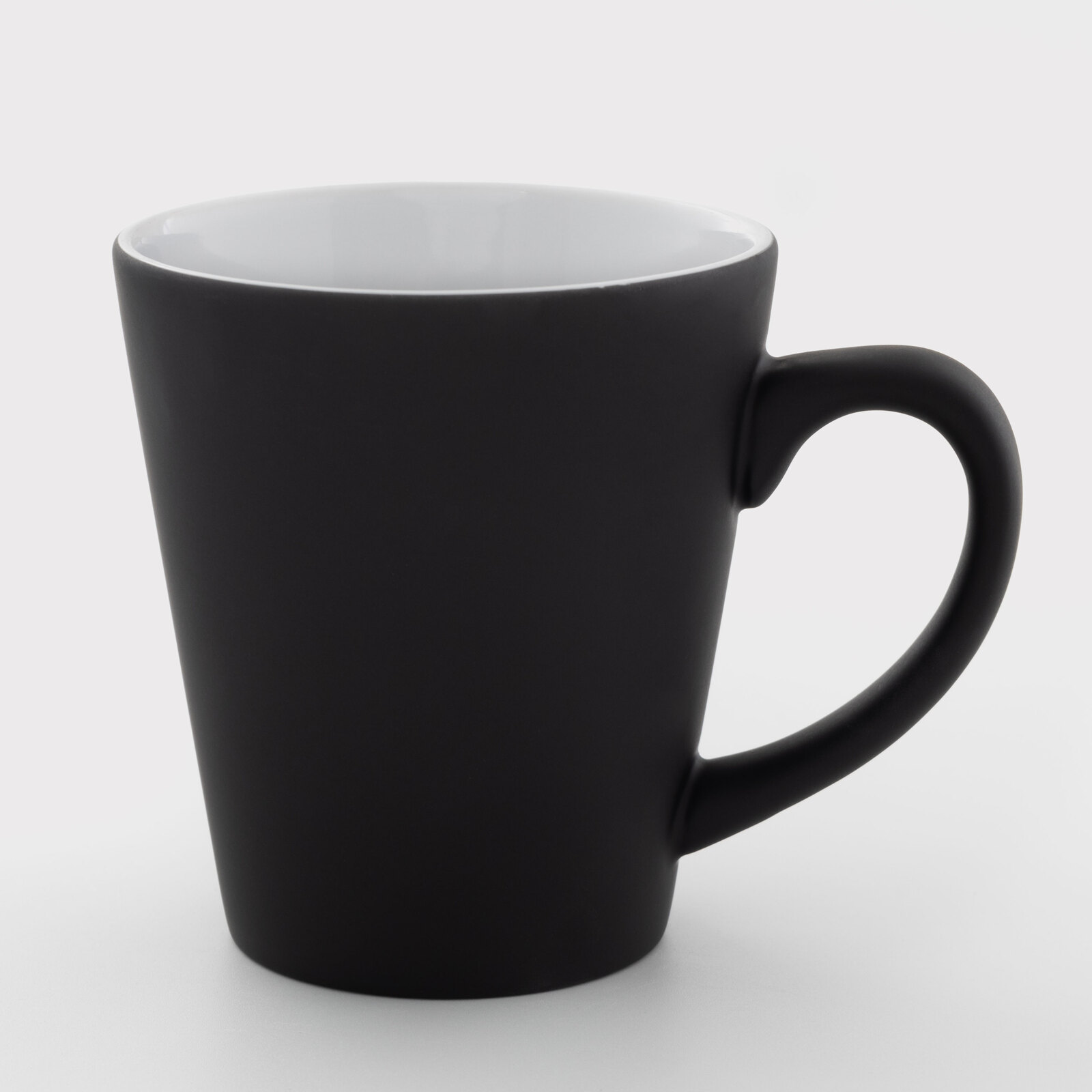
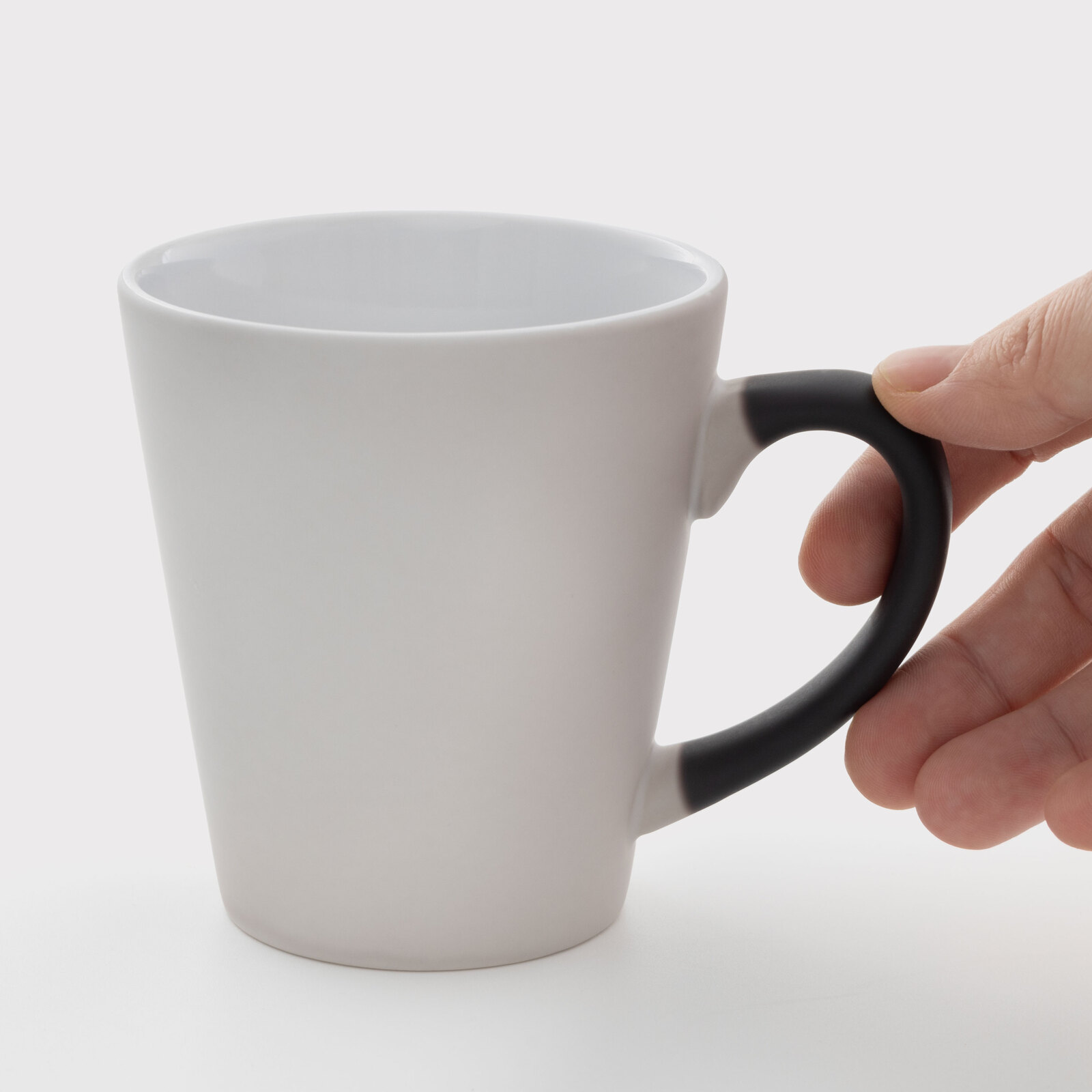
Sublimation cup chameleon matte black 12 Oz (350 ml) (11234) - фото 1 - Blanks for sublimation
Sublimation cup chameleon matte black 12 Oz (350 ml) (11234) - фото 2 - Blanks for sublimation
  • Sublimation cup chameleon matte black 12 Oz (350 ml) (11234) - фото 1 - Blanks for sublimation
  • Sublimation cup chameleon matte black 12 Oz (350 ml) (11234) - фото 2 - Blanks for sublimation
  • Sublimation cup chameleon matte black 12 Oz (350 ml) (11234) - фото 1 - Blanks for sublimation
  • Sublimation cup chameleon matte black 12 Oz (350 ml) (11234) - фото 2 - Blanks for sublimation

Sublimation cup chameleon matte black 12 Oz (350 ml) (11234)

(0)
In stock
Price:
99.00 грн
Product in cart
  • The date of shipment of the goods: 2026-11-23
  • Ask a question for this product

Payment Cash, Visa/MasterCard, Payment in installments, Instant installments, Cashless settlement.
Delivery By new mail to the branch, post machine or courier at carrier rates.

  • Return guarantee

    We guarantee a refund if you are not satisfied with the product

  • Доставка

    Delivery across Ukraine to any settlement

Description Sublimation cup chameleon matte black 12 Oz (350 ml) (11234)

A 350 ml colour-changing latte mug: the design appears with a hot drink


A 350 ml (12 oz) ceramic latte mug that tapers towards the base, with a matte black heat-sensitive coating; white glaze inside. Cold, the mug is black; a hot drink lightens the coating and reveals the printed design, and as the mug cools the background darkens again. Because of the conical shape it is pressed in a conical heater of its size — 12 oz — and a rectangular layout skews on a cone, so the design is fitted into an arc. A trial starting point for this blank is 180 °C for 150 seconds with medium pressure; if the design remains pale once hot water has fully lightened the wall and heater contact is even, add 15–30 s on a fresh test mug without raising the temperature.

180 °Cstarting settings, 150 s
12 ozconical heater
350 mlvolume
Matteblack colour-changing coating

Is this mug right for you

 
Your 12 oz conical heater makes close contact with the conical wall and covers the full design height, with clearance for the handle
You print with sublimation ink on sublimation paper
You need a surprise mug for milky coffee: lettering or a photo that appears with a hot drink
The lettering must stay completely hidden on the cold mug — a saturated design may show faintly through the coating; check on a sample
For another volume, see the 17 oz (500 ml) latte mug; it needs a 17 oz conical heater.
You only print in a straight heater for ordinary mugs — the narrow part of the cone will come out pale

Size and print settings

 
Conicallatte shape
Ceramicmaterial
Black → lightcold and hot mug
Whiteglaze inside
Temperature
180 °Cstart for a colour-changing mug; do not raise it
Time
150 scount from closing the preheated press
Pressure
mediumthe press handle closes with moderate resistance

These are starting settings: the exact ones are tuned to your press, paper, ink and room conditions — temperature and humidity. After pressing, let the mug cool to room temperature. Assess the print once hot water has fully warmed and lightened the wall, then let it cool again to check that the dark background returns.

Why this mug


A surprise with coffee

The design appears with a hot latte or cappuccino

From file to finished mug


Prepare an arc layout
Wrap the mug in a sheet from handle to handle, trace the top and bottom edges and step in 5 mm; saturated dark areas may show faintly through the cold coating.
 
Print mirrored
With sublimation ink on sublimation paper.
 
Fix the paper
Wrap the mug tightly with no gaps and secure the edges with heat-resistant tape.
 
Key step
Press
In the 12 oz conical heater, with the wide edge in the wide end of the heater. Start with 180 °C for 150 seconds at medium pressure.
 
Remove the paper
Right after the signal, wearing heat-resistant gloves, without sliding the sheet over the hot surface.
 
Let it cool
To room temperature, on a heat-resistant stand: a warm coating looks lighter than it will be.
 
Test with hot water
The design appears; pour the water out and let the mug cool — the coating should darken evenly again.
Tip: Make the first mug of a batch a test piece and judge it cold, hot, then cold again. If the design remains pale when fully revealed by hot water, first check heater contact; with even contact, add 15–30 s on a fresh test mug; a grey background after cooling means overheating — shorten the time.

Colour-changing mug: which to choose

 
VariantBaseWhere the design appearsDesign and use
Latte 12 oz, 350 mlYou are hereCeramic latte, matte coatingThe whole wallCappuccino or latte
Latte 17 oz, 500 mlCeramic latte, semi-matte coatingThe whole wallA large coffee serving
Matte black, 330 mlCeramic, matte coatingThe whole wallA classic cylindrical shape

Where it works best

 
Cafés
A logo that appears with the first latte
A gift for a coffee lover
A name or a photo under the coating until the first coffee
Holidays
A greeting that appears with a hot drink

What can go wrong

 
The background stays grey or patchy after cooling

Cause: overheating, most often with white-mug settings

Fix: on a fresh test mug shorten the time and do not raise the temperature; do not press this mug again
The narrow part came out pale

Cause: a straight heater or a heater of the wrong size

Fix: use the 12 oz conical heater on a fresh test mug after checking press compatibility, even contact, full design-height coverage and handle clearance
The design shows faintly on the cold mug

Cause: a property of the blank: the coating does not fully hide a saturated design

Fix: agree this look with the customer on a sample
Ghosted outline

Cause: the paper shifted during pressing

Fix: tape the edges and remove the sheet in one motion

Questions and answers


What are the print settings for a colour-changing latte mug?

A trial starting point for this blank is 180 °C, 150 seconds, medium pressure, in a conical heater of the mug's size. If the design remains pale once hot water has fully lightened the wall and heater contact is even, add 15–30 s on a fresh test mug without raising the temperature. The exact values depend on your press, paper, ink and room conditions.

Why did the mug turn grey after printing and not darken again?

The coating was overheated, most often with white-mug settings. Compare it with an unprinted blank from the same box once both have cooled; on a fresh test mug shorten the time, changing one setting at a time.

Which heater does it need?

A conical heater of its size — 12 oz, for example the 12 oz latte mug heating element. According to the product cards, conical heaters fit the MP160 and HP multifunction heat presses. Before the first print, check compatibility with your press, close contact with the conical wall, full design-height coverage and handle clearance.

How should a colour-changing mug be cared for?

Hand wash only, with a soft sponge, never in a dishwasher; never heat it in a microwave. Pass this rule on to your customer with the mug.

What you need for printing


Everything it takes to turn this colour-changing mug into a finished gift: a press, paper, ink and packaging.

Характеристики Sublimation cup chameleon matte black 12 Oz (350 ml) (11234)

Customer reviews  (0)Leave a review
Customer reviews  (0)

You have already rated this product