
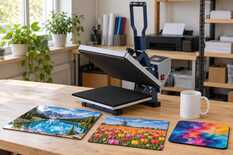
White 330 ml mug: 200 °C for 180 s; glossy metal: 180–200 °C for 60–90 s; sublimation T-shirt: 190–200 °C for 40–60 s. 17 more MyPrint sublimation blanks are in the three tables below, grouped by press type. Count the time from closing the press to the signal and peel the paper off at once.
Under each item’s name you will find the source of its setting. For acrylic it is the MyPrint product page; for the rest, MyPrint articles and videos or makers’ instructions. Where a range is given, start in the middle and fine-tune it on a test piece. Load the item only once the display shows the set temperature.
Pressure: light means the platen settles without effort, medium means the handle goes down with moderate resistance, firm means you need noticeable force to close it and the mug does not turn in the heater.
Mug press: ceramic and metal
Mugs and travel mugs are pressed in mug heat presses or in the mug attachment of an HP press.
| Item | °C | s | Pressure | Notes |
|---|---|---|---|---|
| White mug, 330 mlMyPrint articles | 200 | 180 | firm | MyPrint’s second working pair is 190 °C and 200–240 s. |
| White mug, 425 mlMyPrint articles | 200 | 200 | firm | Buy the 15 Oz heater (15 × 25 cm) for an HP multifunction press. |
| Colour-changing mug, 330 mlMyPrint articles | 180 | 150 | firm | Do not go hotter: overheating damages the heat-sensitive coating. |
| Latte mug, 350 and 500 mlblank maker | 200 | 240 | medium | Cone heater: 12 Oz for 350 ml, 17 Oz for 500 ml. |
| Silver metal mug, 300 and 400 mlblank maker | 180 | 60 | medium | White areas of the design stay silver. More: white or silver metal. |
| Travel mug, 450 mlblank maker | 180 | 80 | medium | Remove the lid. Its product page allows a regular mug press. |
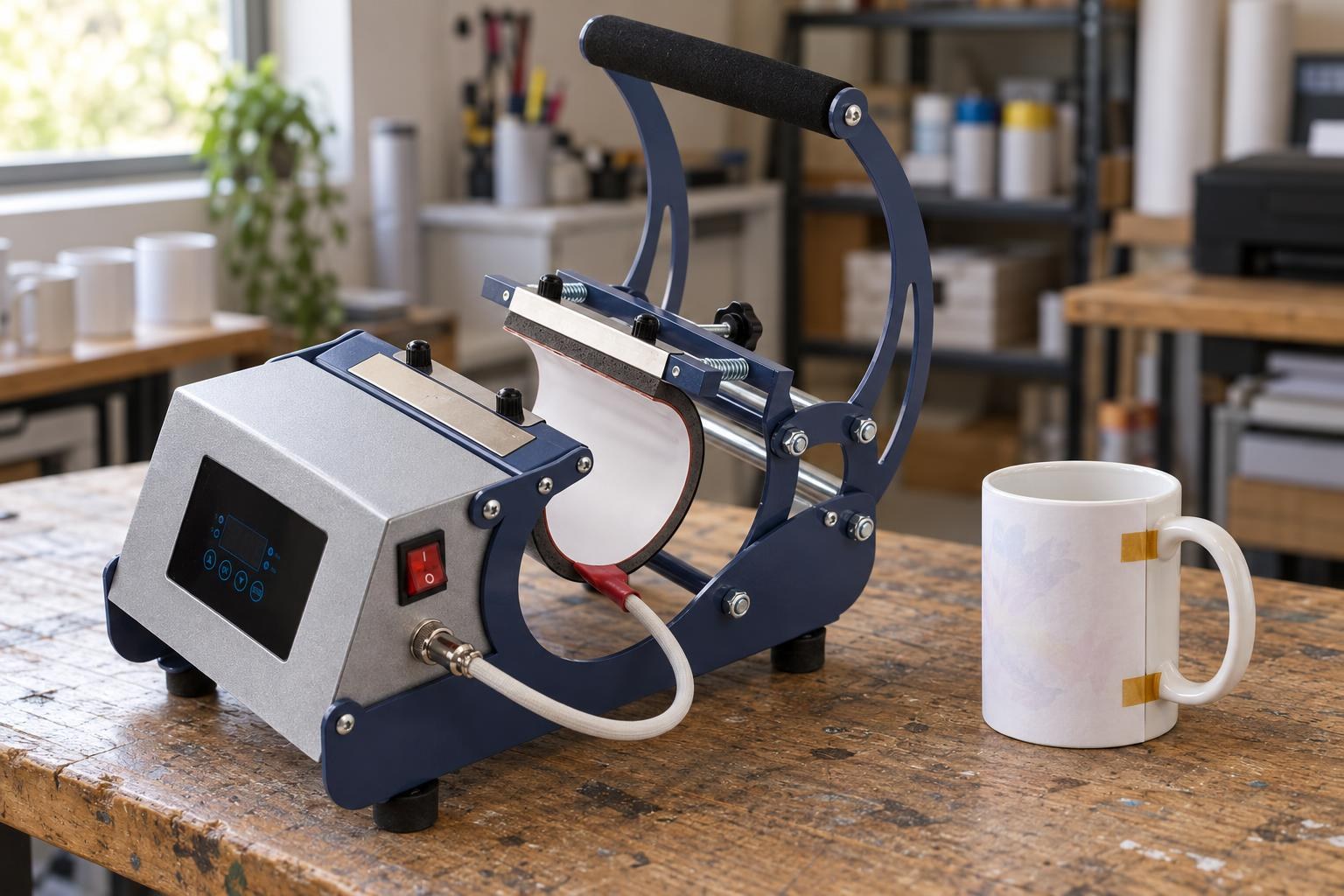
The paper sits tight against the wall, held by heat tape: this is how the mug goes into the press.
Flat press: metal, acrylic, glass, ceramic, MDF, puzzles
Flat items are pressed on flat heat presses or on the platen of a multifunction heat press. Put a sheet of white paper under the item so the ink does not reach the lower platen.
| Item | °C | s | Pressure | Notes |
|---|---|---|---|---|
| Glossy metal: sheets, business cards, magnets, badgesMyPrint article | 180–200 | 60–90 | medium | Peel off the protective film first. Matte metal: 170–190 °C and 80–120 s. |
| Acrylic, 4.5 mm, and 20 mm blocksMyPrint product page | 180 | 100 | light | Print without mirroring. Peel the film off the white side; cool under a flat weight. |
| Glass: 11 × 16 cm photo frame, 2–3 mm sheetblank maker | 180 | 120 | medium | 2–3 mm sheet: 100 s. |
| Ceramic magnet, 5 × 7 cmblank maker | 180 | 150 | medium | Do not press harder: ceramic cracks. |
| MDF: key rings, clocks, puzzlesblank maker | 180 | 120 | medium | If the face is under a film, peel it off. |
| Cardboard puzzle, A4 and A5MyPrint video | 190 | 60 | medium | A PTFE sheet on top, as in the MyPrint video. |
| Metal insert of a 2D phone caseequipment maker | 180 | 80 | medium | Press the insert on its own with the film removed; glue it in once cool. |
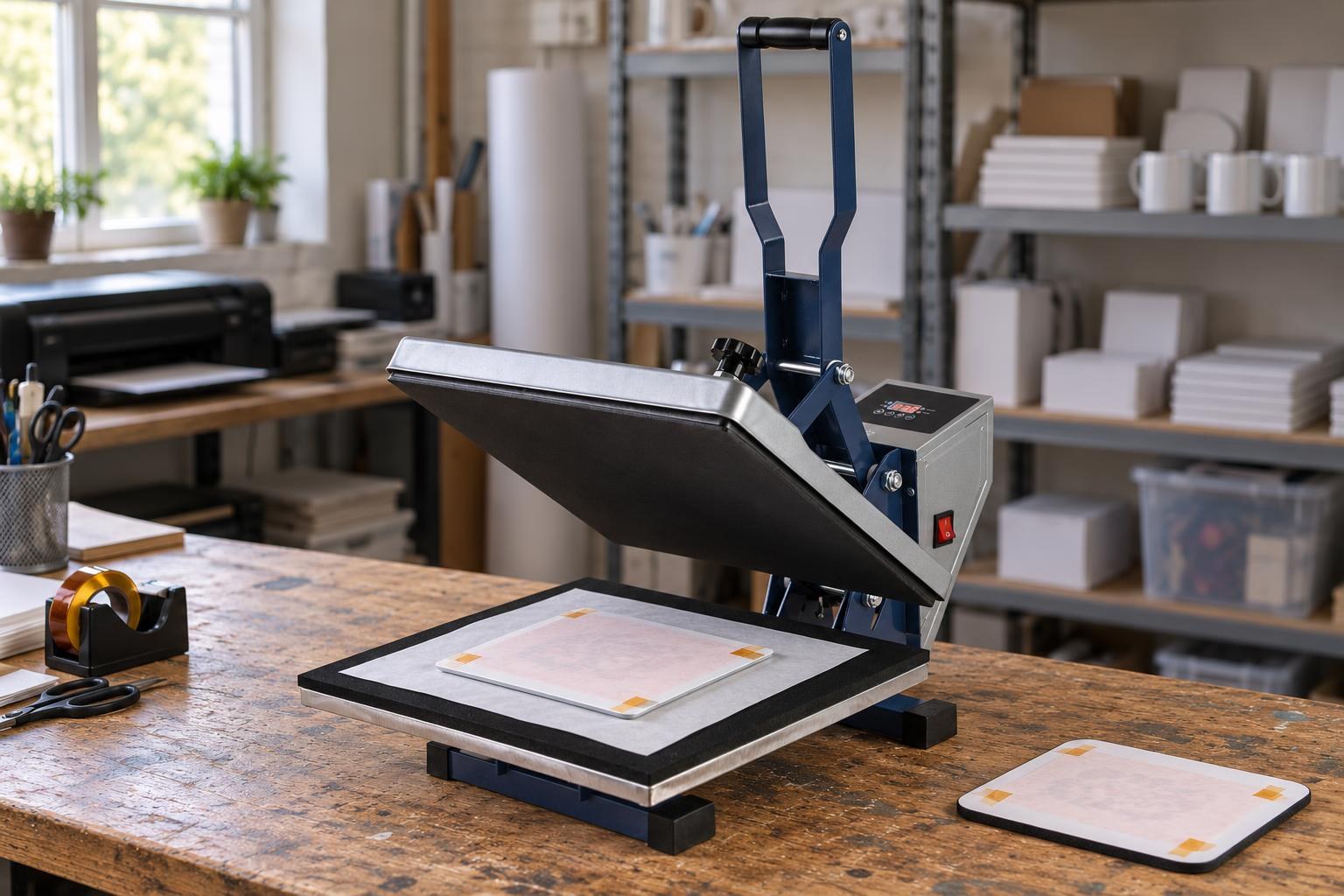
The mouse pad waits its turn: it is several times thicker, so next to it the platen would not press the metal.
Fabric, rubber, leather: T-shirts, pillows, mouse pads, caps
First warm the fabric in the press for 5–10 s without paper to drive out moisture. Caps are pressed on a cap heat press or with the cap attachment of an HP press.
| Item | °C | s | Pressure | Notes |
|---|---|---|---|---|
| Sublimation T-shirtMyPrint article | 190–200 | 40–60 | medium | A sheet of paper inside: where to put the protective paper. |
| Gabardine or linen pillow, 40 × 40 cmMyPrint article | 190–200 | 45–60 | medium | Take out the filling, slide cardboard into the cover, keep the zip off the platen. |
| Faux linen tote bagMyPrint article | 190–200 | 45–60 | medium | Cardboard between the sides; keep the handles off the platen. |
| Sequin pillow, 40 × 40 cmequipment maker | 200 | 60 | medium | Brush the sequins white side up. Flip them once the cover has cooled. |
| Mouse pad, 2–5 mmblank maker | 190 | 50 | medium | 5 mm pads: up to 60 s. Above 200 °C the rubber turns yellow. |
| Leather key ring, passport coverequipment maker | 195 | 45 | medium | Put a strip of fabric into the cover’s fold for even pressure. |
| Trucker cap, polyester frontMyPrint article | 190 | 50 | medium | Pre-heat the front for 5 s first. Step by step: a logo cap on a heat press. |
Press the first blank of every batch as a test. Change one thing at a time: first the time, in 10–15 s steps; raise the temperature only within the range in the table. Write the setting that worked on a sheet next to the press.
If the test piece is off
Pale colours
Add time
Only the first items after a break are pale: the press has not warmed up. All are pale: check the print and the pressure, then add 10–15 s on a new blank. Only the bottom of a mug is pale: see a pale band at the bottom of a mug.
Blurred or browned image
Cut the time
That is overheating: take off 15 s, and if that is not enough, 5 °C.
Double outline
Fix the paper
The paper moved during pressing or peeling. Hold it with heat tape and peel it in one motion right after the signal. More: ghosting in sublimation.
White fabric turned yellow
Lower the temperature
Take off 5–10 °C and keep the time.
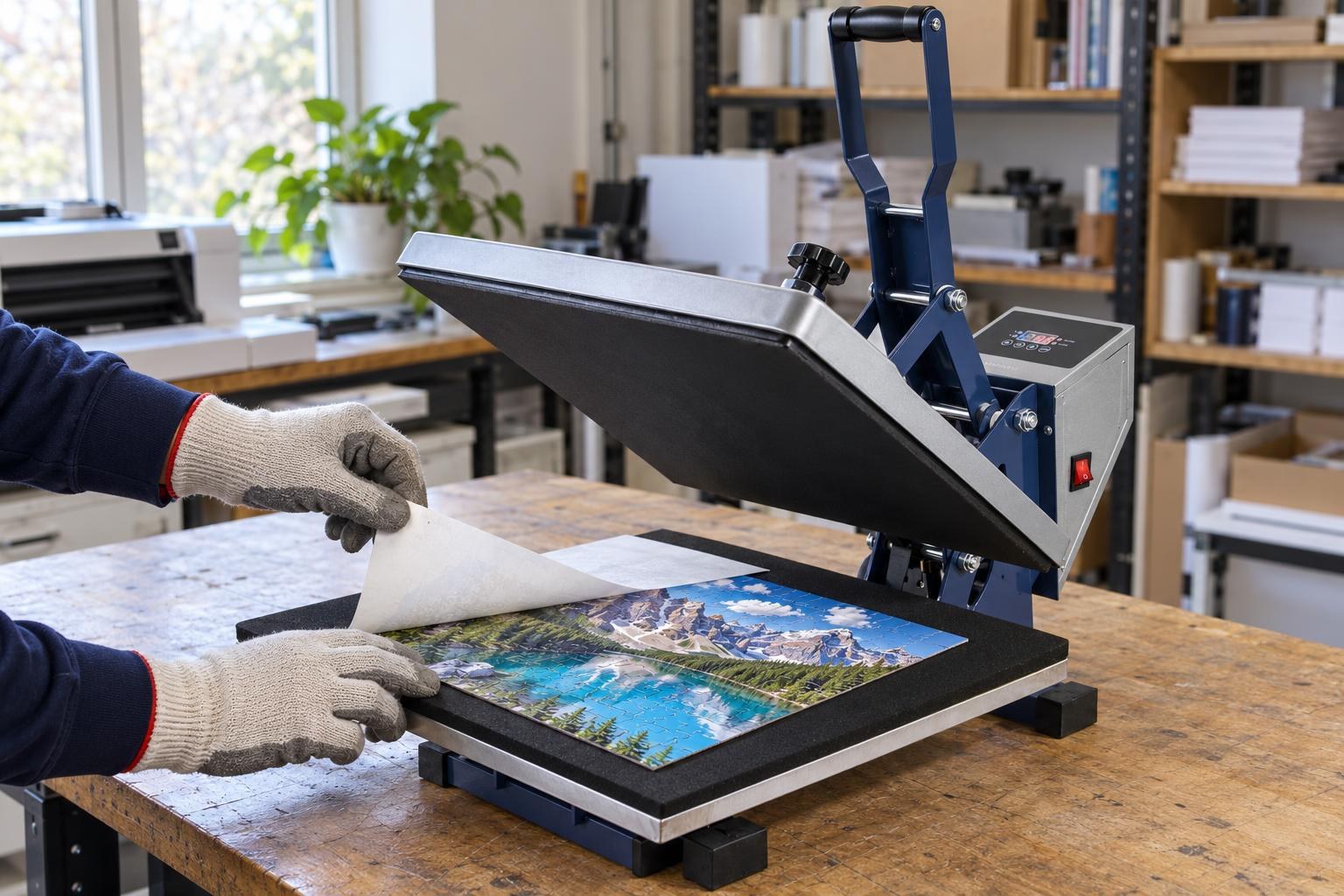
The paper comes off at once, while hot, in one motion from a corner; the PTFE sheet is already folded back.
Presses and heaters for these tables
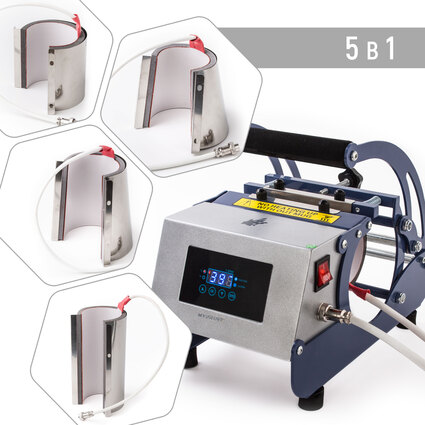
AP1803 5-in-1 mug and tumbler heat press
5 heaters included: 11 Oz, 6 Oz, 12 and 17 Oz cone, tumbler · 0–200 °C
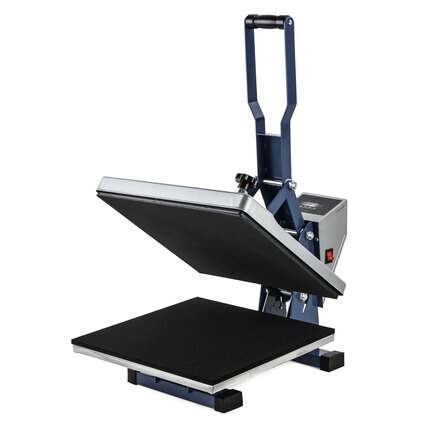
HP380A NEW flat heat press, 38 × 38 cm
38 × 38 cm platen · 0–230 °C · adjustable pressure
FAQ
Start the timer at once or when the press has heated up again?
At once, as soon as the press is closed: MyPrint answers this question by saying it is the total time. The HP380A flat press starts counting by itself when you lower the platen.
Why do sources say 180, 190 or 200 °C for a white mug?
Degrees and seconds work as a pair: the lower the temperature, the longer the time. MyPrint uses two working pairs: 200 °C for 180 s or 190 °C for 200–240 s. Once the press has warmed up, check the heater with a contact thermometer; if it differs from the display, adjust the set temperature and repeat the test.
How do I make the pressure firmer or lighter on a flat press?
On the HP380A, with the screw right in the centre above the platen: clockwise for more pressure, anticlockwise for less. After adjusting, close the press: at medium pressure the handle should go down with moderate resistance.
Do I need another sheet over the paper on a mug?
It is not required. MyPrint usually wraps PTFE or plain paper on top: the heater stays clean and the mug heats more evenly.