
If a guillotine paper cutter leaves a thin track that runs through every sheet in the same place on the cut face, the blade has a nick. Clamp pressure will not remove it: the blade is sharpened or replaced with one made for your cutter model. Waves, steps or uncut bottom sheets have other causes, sorted out in the table below.
Correct size, rough cut face
The cut face is the side of the stack where you can see the edges of all the sheets. Every business card may be the same size, yet tracks resembling comb marks show along that surface. Every irregularity on the blade edge leaves a mark on every sheet. The blade travels down and slightly sideways, so the track slopes too.
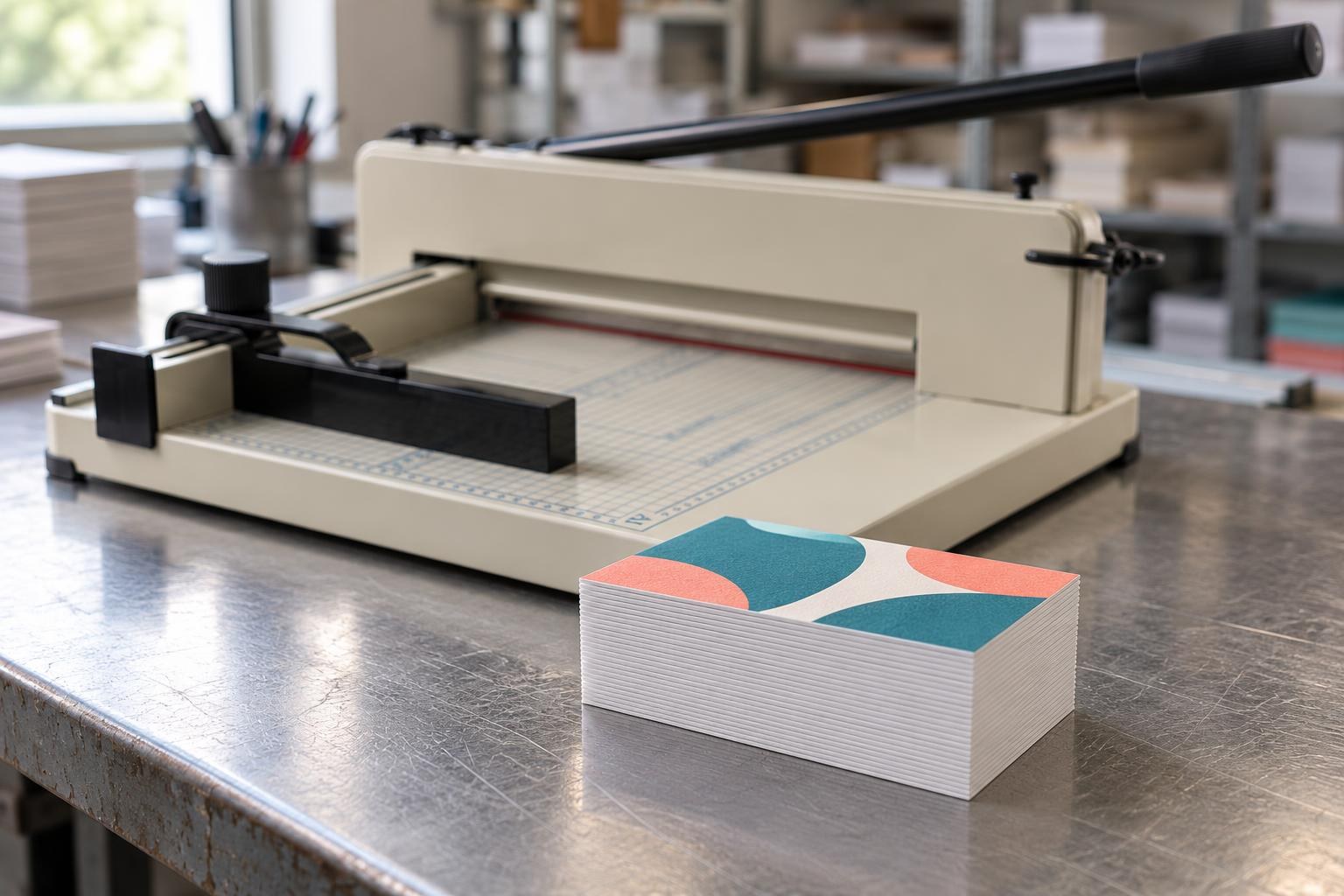
Right: a smooth cut face showing only the thin card layers.
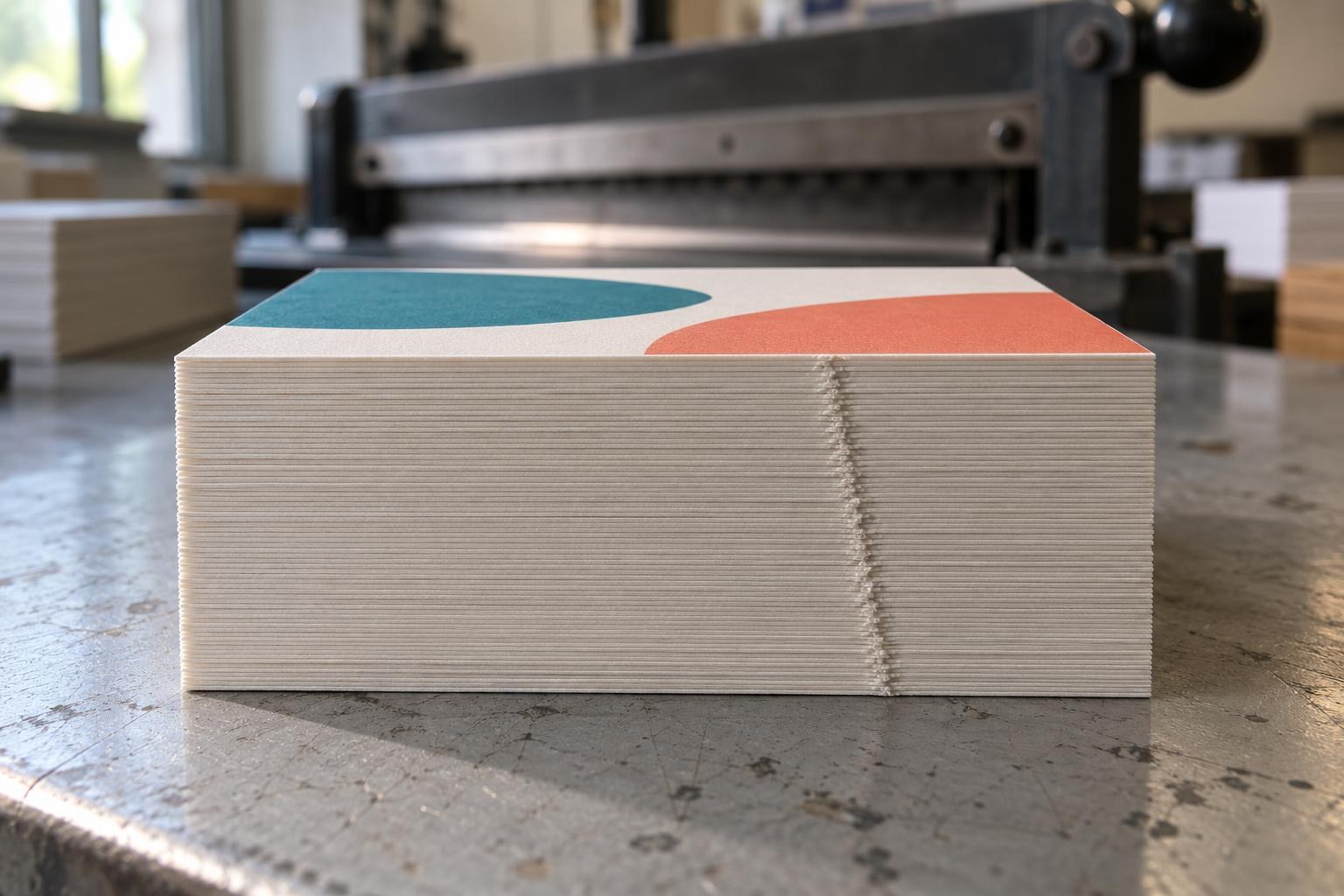
Wrong: a diagonal track of torn fibres runs across the whole cut face — the trace of a nick in the blade.
Sound cutting edge
Blade edge
↘ Blade travel
Cut face of the stack
No prominent track
Nicked cutting edge
Blade edge
↘ Blade travel
Cut face of the stack
Repeating track
Enlarged diagram: an edge irregularity leaves a track; diagonal blade travel makes that track slope.
Compare two test cuts
If the blade stalls or the cutter moves in jerks, stop work and resolve the fault first.
Test cut on an 858 guillotine:
Test stack height
15–20 mm
half of the listed 40 mm
Test width
310 / 430 mm
full cutting length, 858 A4 / A3
Working stack
up to 40 mm
≈ 400 sheets of 80 g/m²
Clamp
firm
stack cannot be moved by hand
Limits are from the My Print 858 A4 and 858 A3 guillotine product cards. The GC Base 198 A4 has a 300 mm cutting width and also takes stacks up to 40 mm.
- Take two stacks of the paper you cut, 15–20 mm high and spanning the full cutting length. Remove staples, paper clips and scraps between the sheets.
- Put a pencil mark on the left edge of the top sheet. Jog the stack against the backstop and side guide, tighten the clamp firmly and cut with the guard in place. Cut the second stack the same way.
- Once the blade is raised, move the stacks to a table with the pencil mark facing up. Shine a lamp across the cut faces from the side and compare the same side of each stack. Look at the top, middle and bottom.
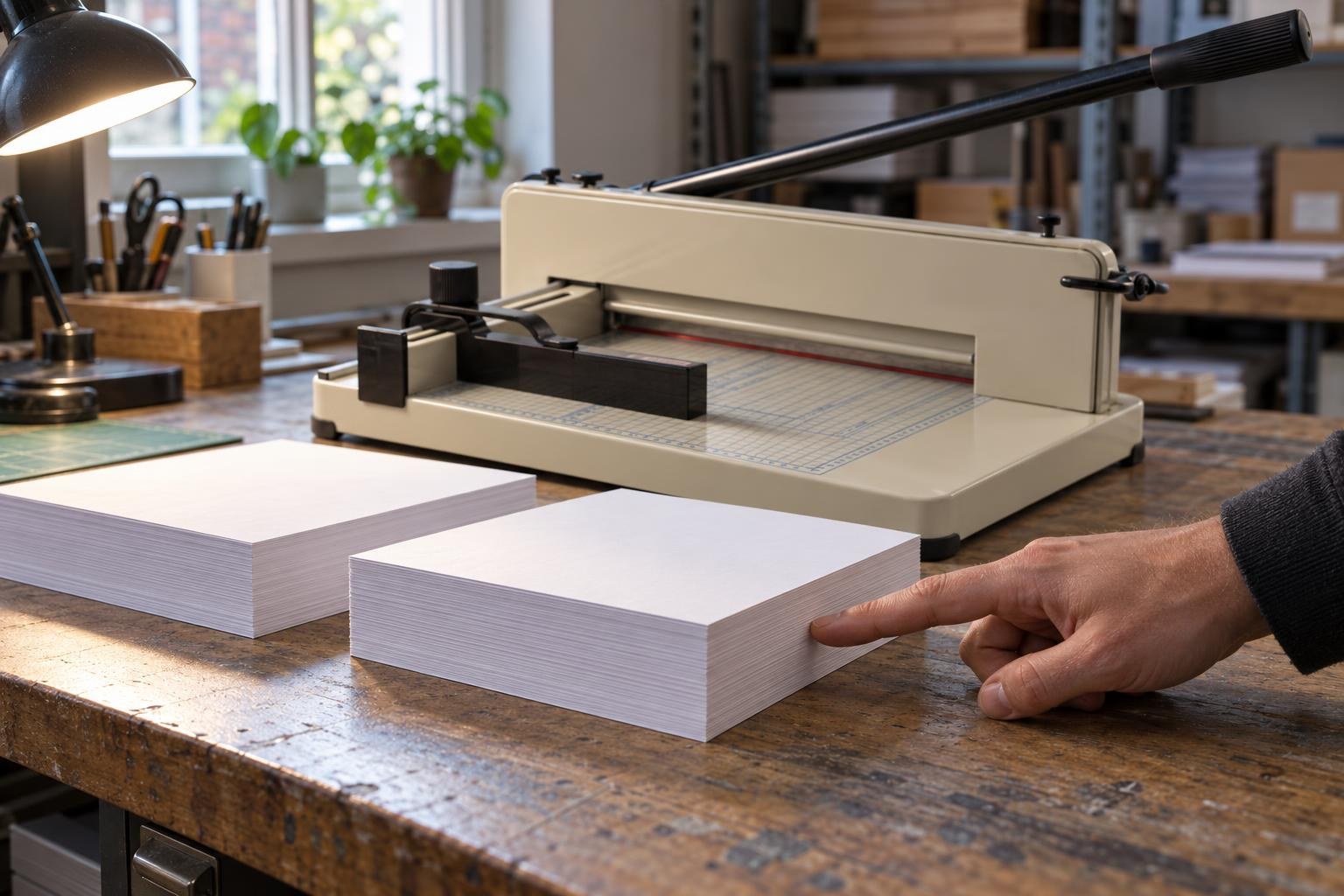
A lamp at the side makes tracks on the cut face visible; compare the same side of both test stacks.
What the cut face shows
One thin track in the same place
It runs across the whole cut face, from the top sheet to the bottom one, straight or slanted. In both samples it sits at the same distance from the side guide.
A nick in the blade. Clamp pressure will not remove it: have the blade sharpened or fit a new one made for your model. Keep both samples.
Waves or steps; sheets at the top and bottom differ in length
They ease off when you tighten the clamp harder or halve the stack height.
The paper shifts under the blade. Tighten the clamp, cut a lower stack and repeat the test. How to spot the shift is described in “Cutter cuts the stack at an angle”.
The whole cut face is rough and fuzzy
Sheets cling together along the cut; the handle needs more force.
The blade is dull along its whole length. Have it sharpened or fit a new one.
Clean upper sheets, bottom sheets still joined
A paper bridge remains at the bottom.
Start by checking the cutting stick and cut depth — this is a different symptom.
If the mark does not repeat, do not buy a blade based only on the first sample: check the paper for debris and repeat the cut without changing the settings.
Match the replacement to the exact model
Find the model on the cutter's identification plate. The A4 format or blade length alone is not enough: the geometry and mounting must match. The cutter category includes replacement blades for manual and electric models; confirm compatibility by model and part number before ordering.
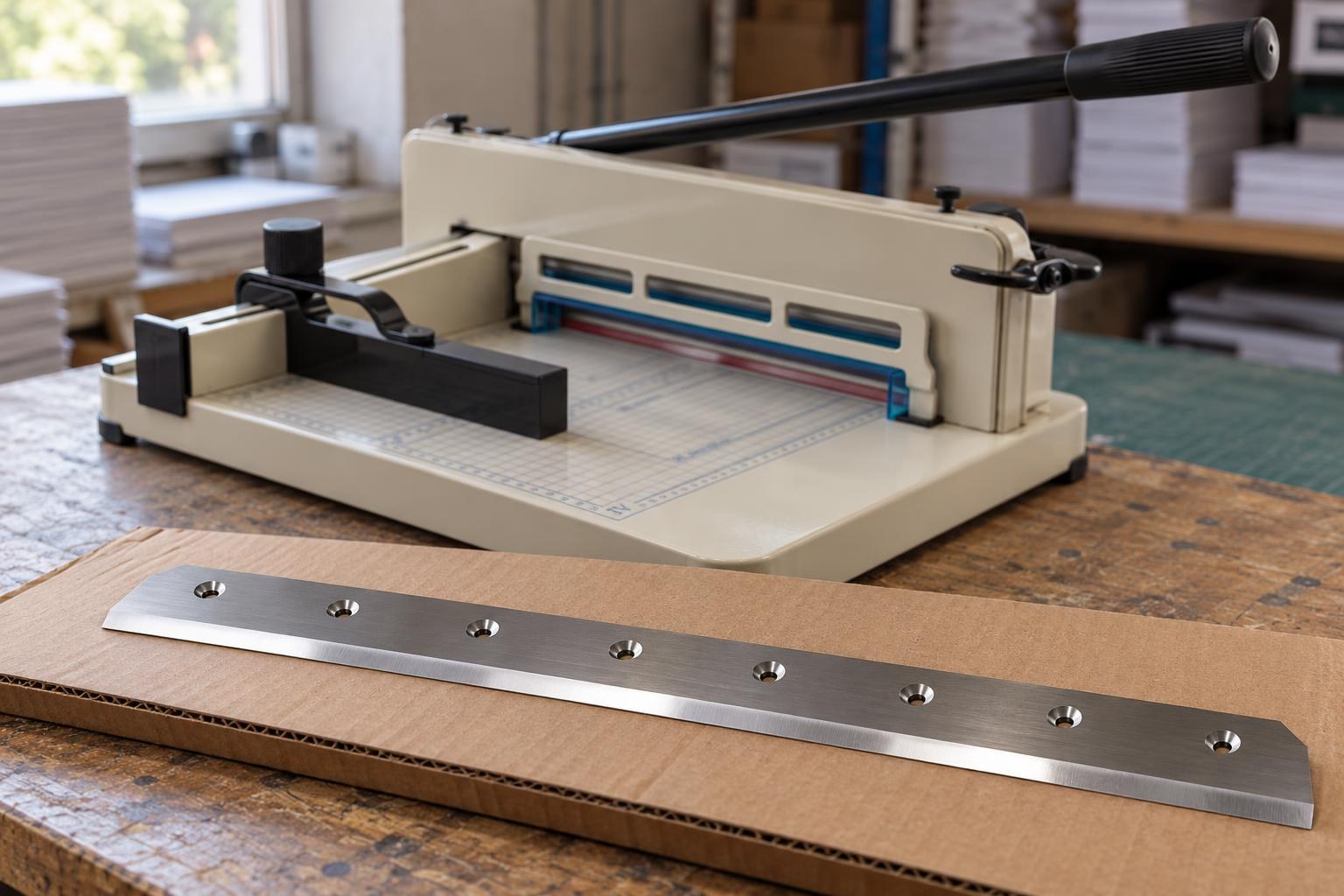
Check more than the blade length: the number and position of the mounting holes must match too.
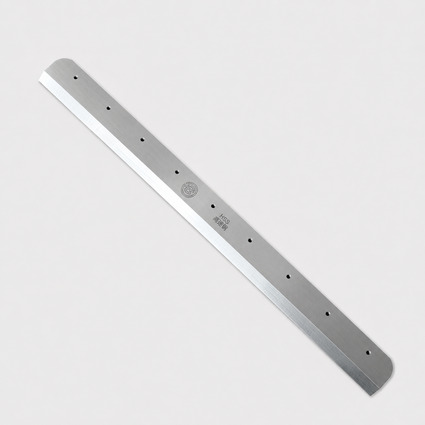
Blade for the My Print 858 A3 guillotine paper cutter
Steel · for the 858 A3 cutter with a 430 mm cutting length · part 12921
The blade for the 858 A4 guillotine is on its catalogue page; blades for the My Print PC Compact 320, PC ProCut 450 and PC PowerCut 480 electric cutters are in the same category.
Change the blade following your cutter's manual; unplug an electric cutter first. Wear leather gloves and hold the blade only by its back; if your cutter came with blade holders, use them. Never leave a removed blade lying open on the bench: put it straight into its packaging or case. Do not touch the edge or dress it with sandpaper on the machine.
After installation and adjustment, check the cut across the full width you need, then on a small stack of job stock. Look for a clean cut face and fully separated bottom sheets. A new blade, but the track remains? It may be seated at an angle: dirt or a burr under the blade stops it sitting vertically. Remove the blade following the cutter’s manual, clean the mounting seat and refit it; if that does not help, take the cutter and test stacks to a service workshop.
Frequently asked questions
Can I sharpen a guillotine blade myself?
No: a blade-sharpening workshop uses a surface grinder to keep the edge straight along its whole length and preserve the factory bevel angle. Sandpaper or a whetstone used on the machine cannot do that job. After sharpening, test the blade with the same two stacks: if the marks remain, return the blade to the workshop with the samples.
Should I sharpen the blade or buy a new one?
Sharpening removes metal below the nick, so the blade gets narrower each time; the workshop decides whether it can be reground again. A compatible spare keeps the cutter working while the main blade is sharpened. If the blade cannot be reground or there is no workshop nearby, order a new one made for your model.
Will a blade from another A4 cutter fit?
Format alone is not enough: the 858 A4 takes part 12919, and the 858 A3 takes part 12921. Place the new blade beside the old one and compare the length, the number and spacing of mounting holes, and the bevel side.
Why did my new blade get nicked so quickly?
A staple, paper clip or other hard object in the stack, an oversized stack or material the cutter is not designed for may have damaged the edge. The 858 product cards list paper, card, photo paper and brochures: check the stack before every cut and keep it within 40 mm.
Does a dull blade stop cutting or just spoil the edge?
It usually still cuts, but the cut face becomes fuzzy and darker, sheets cling together along the cut, the top and bottom sheets differ in length, and the handle needs more force. Do not wait until the bottom sheets stop separating: have the blade sharpened or replace it.