
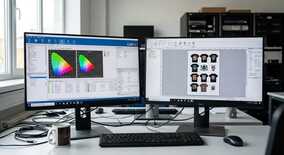
Вибір RIP-програми є одним з найважливіших рішень при створенні DTF workflow. Якісний RIP софт впливає на колірність, продуктивність та загальну ефективність DTF принтера. Розглянемо найпопулярніші рішення на ринку.
▶ What is RIP-софт та його роль в DTF друкуванні
RIP (Raster Image Processor) — це програмне забезпечення, яке перетворює векторну та растрову графіку в формат, зрозумілий принтеру. Для DTF друку RIP виконує особливо важливі функції:
- Керування білою фарбою: розрахунок підкладки під кольорові чорнила
- Корекція кольорів: налаштування профілів під конкретні чорнила
- Оптимізація швидкості: розподіл завдань та черговість друку
- Контроль якості: передпрес та підготовка файлів
- Економія матеріалів: nesting та мінімізація відходів
▶ Специфічні вимоги DTF до RIP
DTF технологія висуває унікальні вимоги до растрового процесора:
▸ White ink management
- Важливість для DTF: Критична
- Опис: Автоматичне створення білої підкладки
▸ Nesting
- Важливість для DTF: Висока
- Опис: Оптимальне розміщення дизайнів на плівці
▸ Color profiling
- Важливість для DTF: Висока
- Опис: Точна кольоропередача на різних матеріалах
▸ Variable data
- Важливість для DTF: Середня
- Опис: Друк різних розмірів та варіантів
▸ Production tracking
- Важливість для DTF: Середня
- Опис: Облік матеріалів та завдань
▶ Огляд топових RIP-програм для DTF
▶ Cadlink Digital Factory
Cadlink — один з лідерів на ринку RIP софту з потужною підтримкою DTF технології.
Переваги Cadlink:
- Інтуїтивний інтерфейс: зручне управління навіть для новачків
- Потужний white ink engine: автоматичне створення та корекція білої підкладки
- Широка база профілів: готові налаштування для популярних принтерів
- Nesting оптимізація: ефективне використання плівки
- Швидкий RIP: високопродуктивна обробка файлів
- Технічна підтримка: якісна допомога користувачам
Недоліки Cadlink:
- Висока ціна (від $3000-5000)
- Потребує потужного комп'ютера
- Деякі функції доступні тільки в дорожчих версіях
Версії та ціни Cadlink:
▸ Express
- Ціна: $2,995
- Основні можливості: Базовий RIP, колірні профілі
▸ Pro
- Ціна: $4,995
- Основні можливості: White ink, nesting, advanced tools
▸ Factory
- Ціна: $7,995
- Основні можливості: Production tracking, automation
▶ Maintop RIP
Китайський RIP, який набув популярності завдяки доступній ціні та хорошій функціональності для DTF.
Переваги Maintop:
- Доступна ціна: значно дешевше за західні аналоги
- Спеціалізація на DTF: розроблений з урахуванням потреб DTF друку
- Простота налаштування: швидкий старт навіть без досвіду
- Підтримка Epson: відмінна сумісність з популярними DTF принтерами
- Регулярні оновлення: активний розвиток продукту
Недоліки Maintop:
- Обмежена технічна підтримка на англійській/українській
- Менш досконалий white ink engine порівняно з Cadlink
- Іноді нестабільна робота з великими файлами
Ціни Maintop RIP:
- Maintop Standard: $800-1200
- Maintop Professional: $1500-2000
- Щорічна підтримка: $200-300
▶ SA Photoprint
Професійний RIP з великою історією та широкими можливостями для DTF друку.
Переваги SA Photoprint:
- Універсальність: підтримка різних технологій друку
- Потужна колірна корекція: професійні інструменти управління кольором
- Гнучкість налаштувань: детальне регулювання всіх параметрів
- Стабільність: надійна робота в production середовищі
- Великий досвід: перевірений часом продукт
Недоліки SA Photoprint:
- Складний інтерфейс для новачків
- Висока ціна (від $4000)
- Потребує ретельного налаштування для DTF
▶ Альтернативні рішення
PrintFactory
Сучасний cloud-based RIP з інноваційним підходом:
- Хмарна архітектура
- Модульна структура
- Підписна модель оплати
- Ціна: від $150/місяць
EFI Fiery
Корпоративне рішення для великих виробництв:
- Потужна автоматизація
- Інтеграція з ERP системами
- Високу вартість (від $10000)
- Складність налаштування
AccuRIP
Бюджетний варіант для малих DTF операцій:
- Ціна: $300-500
- Простий інтерфейс
- Базова функціональність
- Обмежені можливості nesting
▶ Порівняльна таблиця RIP-програм
▸ Ціна
- Cadlink: $3000-8000
- Maintop: $800-2000
- SA Photoprint: $4000-7000
- PrintFactory: $150-400/міс
▸ DTF спеціалізація
- Cadlink: Відмінно
- Maintop: Відмінно
- SA Photoprint: Добре
- PrintFactory: Добре
▸ Простота використання
- Cadlink: Легко
- Maintop: Легко
- SA Photoprint: Складно
- PrintFactory: Середньо
▸ White ink control
- Cadlink: Відмінно
- Maintop: Добре
- SA Photoprint: Відмінно
- PrintFactory: Добре
▸ Nesting
- Cadlink: Відмінно
- Maintop: Добре
- SA Photoprint: Добре
- PrintFactory: Відмінно
▸ Технічна підтримка
- Cadlink: Відмінно
- Maintop: Середньо
- SA Photoprint: Добре
- PrintFactory: Добре
▶ Налаштування RIP для оптимального DTF workflow
Незалежно від вибраної програми, правильне налаштування критично важливе для якості результату.
▶ Основні параметри налаштування
Керування білою фарбою
Ключові налаштування для білої підкладки:
- White generation mode: автоматичний або ручний контроль
- White density: щільність нанесення (зазвичай 80-100%)
- White spread: розширення білої області (0.5-2 мм)
- White threshold: поріг прозорості для створення підкладки
- Overprint settings: налаштування накладання кольорів на білий
Колірні профілі
Створення точного колірного профілю включає:
- Друк тестової шкали: використання стандартних color charts
- Вимірювання кольорів: спектрофотометром або колориметром
- Створення ICC профілю: за допомогою вбудованих інструментів
- Тестування та корекція: доводка на реальних зображеннях
- Валідація: перевірка відповідності кольорів на різних дизайнах
▶ Оптимізація продуктивності
Настройки nesting
Ефективне розміщення дизайнів на плівці DTF економить матеріали:
▸ Відступ між дизайнами
- Рекомендоване значення: 3-5 мм
- Примітка: Запас для різання
▸ Поворот дизайнів
- Рекомендоване значення: Дозволено
- Примітка: Для кращого заповнення
▸ Різні розміри
- Рекомендоване значення: Змішано
- Примітка: Максимальна утилізація плівки
▸ Алгоритм nesting
- Рекомендоване значення: Genetic/Advanced
- Примітка: Кращий результат
Queue management
Організація черги завдань для безперервного друку:
- Пріоритети завдань: термінові замовлення в першу чергу
- Групування по матеріалах: однакові налаштування разом
- Hot folders: автоматична обробка нових файлів
- Batch processing: групова обробка однотипних завдань
▶ Інтеграція з робочим процесом
Підключення до комплектів DTF
Правильна інтеграція RIP з обладнанням забезпечує стабільну роботу:
Налаштування принтера
- Драйвери: встановлення сертифікованих драйверів принтера
- Порти зв'язку: налаштування USB/Ethernet підключення
- Медіа профілі: створення профілів під різні типи плівки
- Ink configuration: картування каналів чорнил
Системні вимоги
Мінімальні та рекомендовані характеристики комп'ютера:
▸ Процесор
- Мінімум: Intel i5/AMD Ryzen 5
- Рекомендовано: Intel i7/AMD Ryzen 7
▸ Оперативна пам'ять
- Мінімум: 8 GB RAM
- Рекомендовано: 16-32 GB RAM
▸ Накопичувач
- Мінімум: SSD 256 GB
- Рекомендовано: SSD 512 GB+
▸ Операційна система
- Мінімум: Windows 10
- Рекомендовано: Windows 11 Pro
▸ Графіка
- Мінімум: Integrated
- Рекомендовано: Dedicated GPU
▶ Backup та безпека
Захист налаштувань та даних:
- Регулярні backup: щоденне збереження профілів та налаштувань
- Cloud синхронізація: зберігання в хмарних сервісах
- Version control: відстеження змін у профілях
- Recovery plan: план відновлення при збоях
▶ Практичні поради по вибору RIP
▶ Для початківців
Якщо ви тільки починаєте з DTF:
- Рекомендація: Maintop RIP або Cadlink Express
- Причини: простота налаштування, доступна ціна, хороша підтримка DTF
- Бюджет: $800-3000
- Функціональність: всі базові можливості для старту
▶ Для середнього бізнесу
При зростанні обсягів виробництва:
- Рекомендація: Cadlink Pro або SA Photoprint
- Причини: потужний nesting, автоматизація, кращий контроль якості
- Бюджет: $3000-6000
- ROI: окупність за рахунок економії матеріалів та підвищення продуктивності
▶ Для великих виробництв
Для промислових масштабів:
- Рекомендація: Cadlink Factory, EFI Fiery або PrintFactory
- Причини: MIS інтеграція, production tracking, автоматизація workflow
- Бюджет: $6000+
- Додаткова цінність: аналітика виробництва, планування ресурсів
▶ Майбутнє RIP-технологій для DTF
▶ Тенденції розвитку
Напрями еволюції RIP софту:
- AI-оптимізація: штучний інтелект для автоматичного налаштування
- Cloud RIP: хмарна обробка з мінімальними системними вимогами
- Mobile control: управління RIP з мобільних пристроїв
- IoT інтеграція: підключення до екосистеми Industry 4.0
- Predictive maintenance: прогнозування потреб в обслуговуванні
▶ Підготовка до майбутнього
Як вибрати RIP з прицілом на перспективу:
- Розробник з активною roadmap
- Модульна архітектура для майбутніх розширень
- API для інтеграції з третіми системами
- Підтримка нових форматів файлів та стандартів
▶ Економічне обґрунтування
▶ ROI від якісного RIP
Розрахунок окупності інвестиції в професійний RIP:
▸ Ефективний nesting (10% економії плівки)
- Економія на місяць: $200-500
- Річна економія: $2400-6000
▸ Зменшення браку (5% покращення)
- Економія на місяць: $150-300
- Річна економія: $1800-3600
▸ Підвищення продуктивності (15%)
- Економія на місяць: $300-800
- Річна економія: $3600-9600
▸ Економія часу оператора
- Економія на місяць: $100-250
- Річна економія: $1200-3000
▸ Загальна економія
- Економія на місяць: $750-1850
- Річна економія: $9000-22200
▶ TCO (Total Cost of Ownership)
Повна вартість володіння RIP включає:
- Ліцензія: первинна вартість програми
- Підтримка: щорічна технічна підтримка
- Навчання: витрати на освоєння персоналом
- Оновлення: upgrade до нових версій
- Інтеграція: налаштування та кастомізація
▶ Висновки та рекомендації
Вибір RIP-програми для DTF друку — це стратегічне рішення, яке впливає на всі аспекти виробництва. Основні висновки:
▶ Ключові критерії вибору:
- Спеціалізація на DTF: наявність функцій для роботи з білою фарбою
- Простота використання: швидке освоєння персоналом
- Економічна ефективність: окупність інвестиції
- Технічна підтримка: якість допомоги розробника
- Масштабованість: можливість зростання разом з бізнесом
▶ Загальні рекомендації:
- Тестування: обов'язково протестуйте кілька варіантів перед покупкою
- Навчання: інвестуйте в навчання операторів
- Поетапність: почніть з базової версії, розширюйте по мірі зростання
- Резерв: майте план резервного копіювання налаштувань
- Моніторинг: регулярно аналізуйте ефективність RIP
Правильно обраний та налаштований RIP стане надійною основою для успішного DTF бізнесу, забезпечуючи високу якість друку, економію ресурсів та конкурентні переваги на ринку.